





























































This brief tutorial on using GitHub Copilot for developing Enterprise Java applications also showcases its various features.
GitHub Copilot, an AI-powered code completion tool developed by GitHub and OpenAI, is revolutionising the way developers approach coding. This tool significantly enhances productivity by providing intelligent code suggestions, corrections, and documentation. Let’s explore the practical use of GitHub Copilot for developing Enterprise Java applications.
To get started with GitHub Copilot, you need to have Visual Studio Code (VS Code IDE) installed alongside the GitHub Copilot extension (free extension). Once installed, sign in with your GitHub account to activate Copilot by getting a prompt. For Java development, ensure you have the necessary Java extensions installed in your VS Code environment.
Code development
Copilot edits:
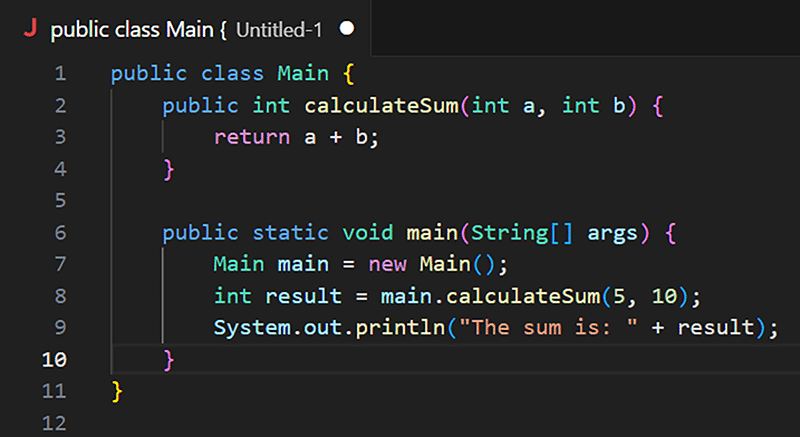
GitHub Copilot offers intelligent edits that streamline the development process. For instance, while writing a Java method to calculate the sum of two integers, Copilot can provide an accurate method signature and body (Figure 1).
Code completions
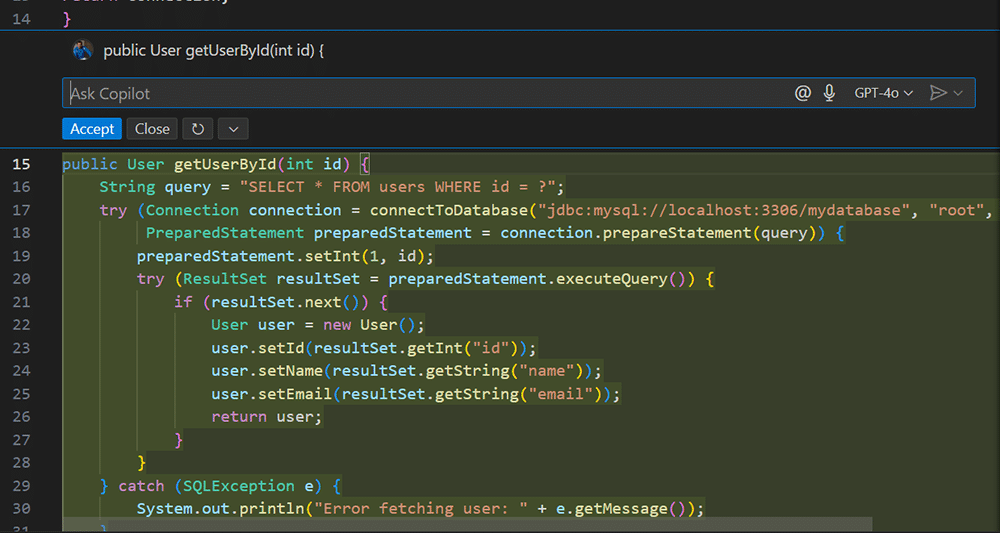
Copilot’s code completion feature is invaluable for developers. While writing a function to connect to a database, Copilot suggests the necessary imports and code structure.
Using natural language in code
One striking feature of GitHub Copilot is its ability to understand and interpret natural language comments. By writing a comment such as “create a method to fetch a user by ID”, Copilot generates the corresponding Java code as shown in Figure 2.
Copilot actions
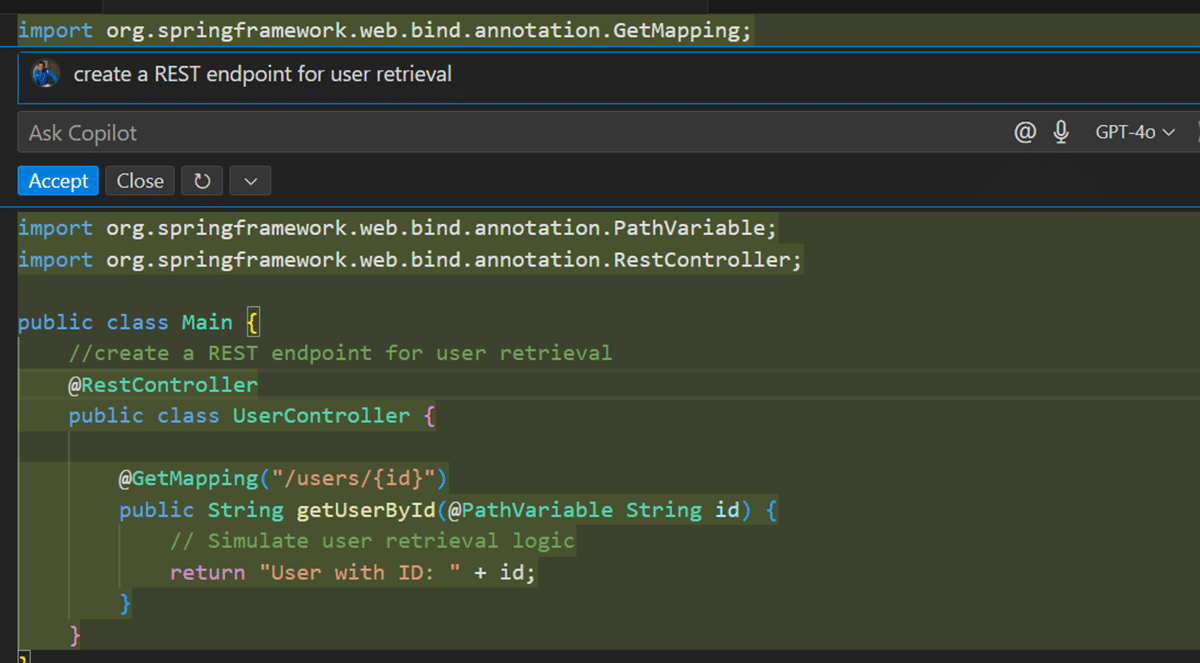
Copilot can also perform specific actions based on natural language instructions. For example, instructing Copilot to “create a REST endpoint for user retrieval” yields a complete method with the necessary annotations as seen in Figure 3.
Code correction
GitHub Copilot assists in detecting and correcting coding errors. For instance, if there is a syntax error in your Java code, Copilot highlights the issue and suggests corrections.
Code review and static code analysis
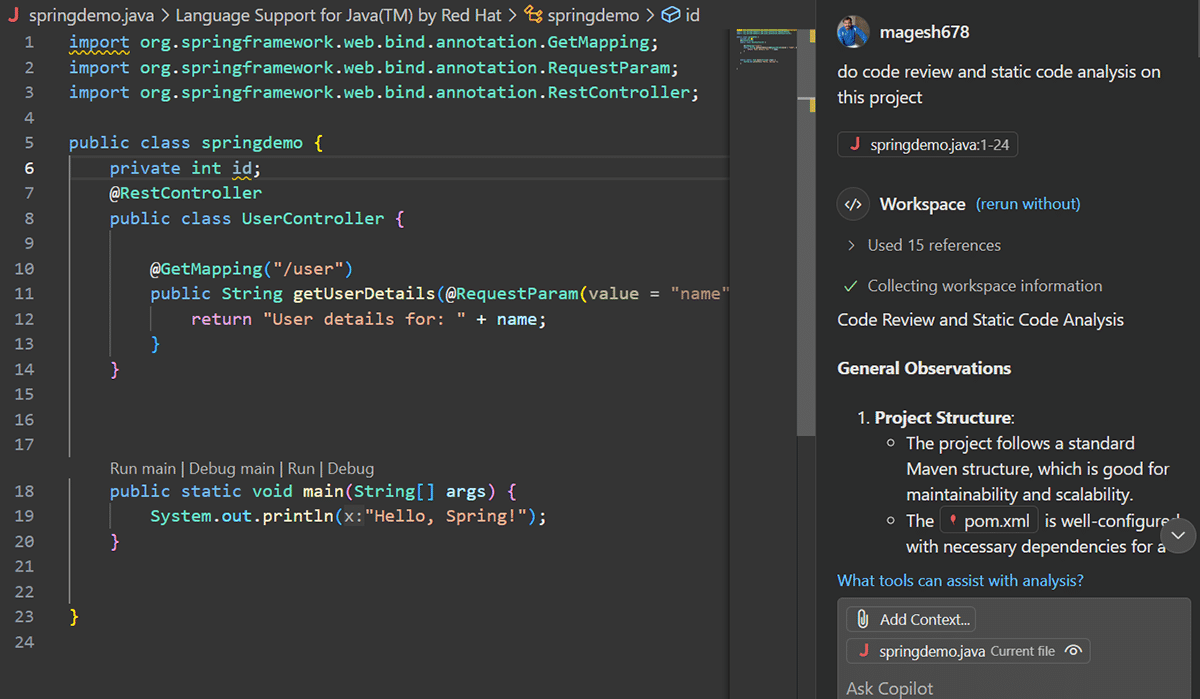
Copilot aids in code review by analysing the code for potential issues and suggesting improvements. It also performs static code analysis, helping to maintain code quality and adherence to best practices. For example, I can ask “do code review and static code analysis on this project” which can provide vulnerabilities, best practices and code improvements as shown in Figure 4.
Unit test development
GitHub Copilot also supports the creation of unit tests, ensuring that your Java code is thoroughly tested. By writing a natural language comment, Copilot can generate the necessary unit test methods.
Code troubleshooting
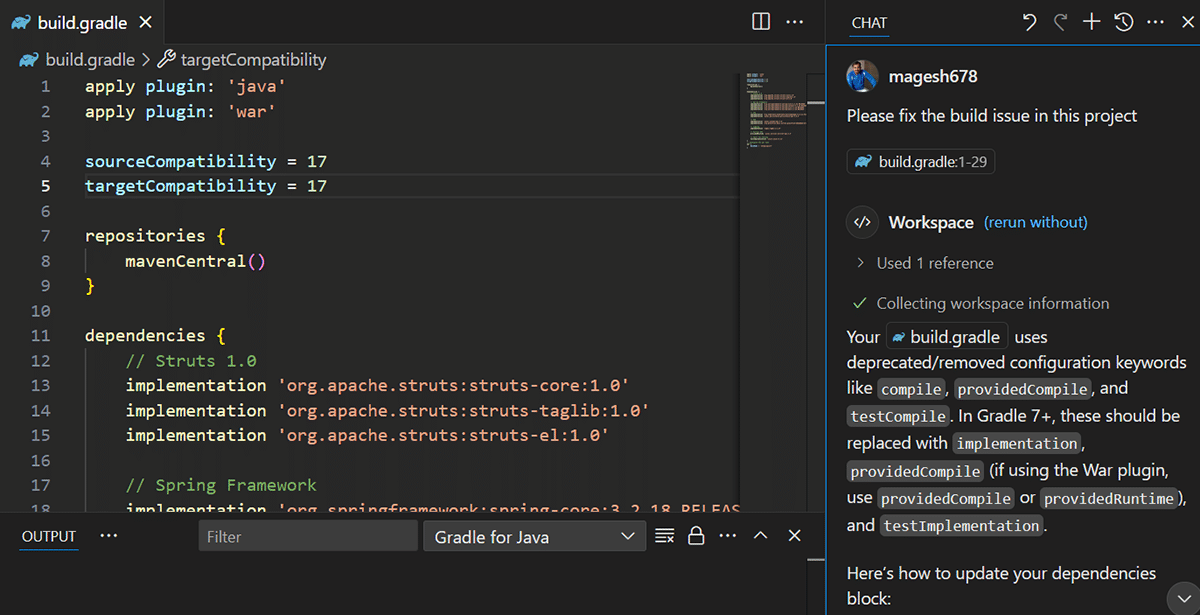
One of the common problems faced by developers (and time consuming to address) is fixing code issues (compilation issue, performance issue, build issue). We can use Copilot to address the same. For example, I have used the prompt “Please fix the build issue in this project”. Figure 5 shows how GitHub Copilot helps to identify the build issue in the Gradle file and its reference libraries.
Code documentation
With Copilot, adding comprehensive documentation to your code becomes effortless. By writing a comment or a documentation block, Copilot can generate detailed Javadoc comments for methods and classes.
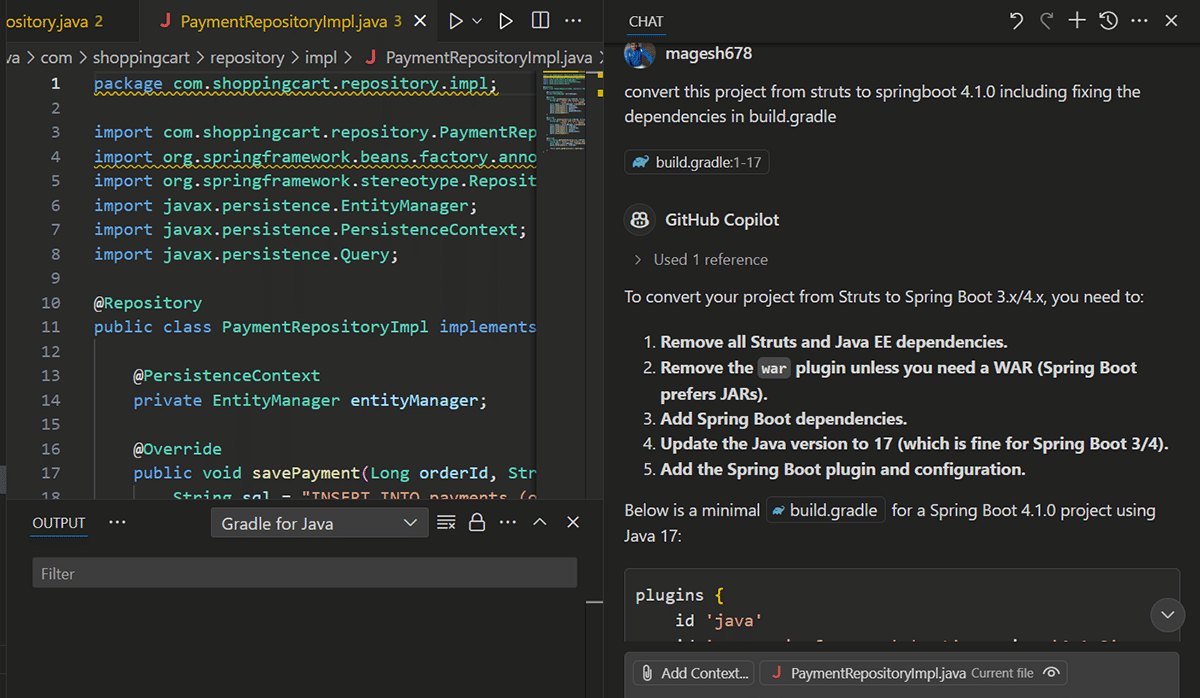
If you are working on code modernisation like Java upgrade or framework upgrade, you can use GitHub Copilot to accelerate the task easily. For example, I have a Struts 2 project and I tried to revamp the code (without altering functionality) to Springboot. I tried using the prompt “convert this project from struts to springboot 4.1.0 including fixing the dependencies in build.gradle”. Figure 6 explains how the response helps to modernise the code in a step-by-step guide.
We can also use Github Copilot for documentation and reverse engineering. For example, from a given code, I can prompt “create a component architecture diagram for this code” to generate a rough diagram like the one shown in Figure 7.
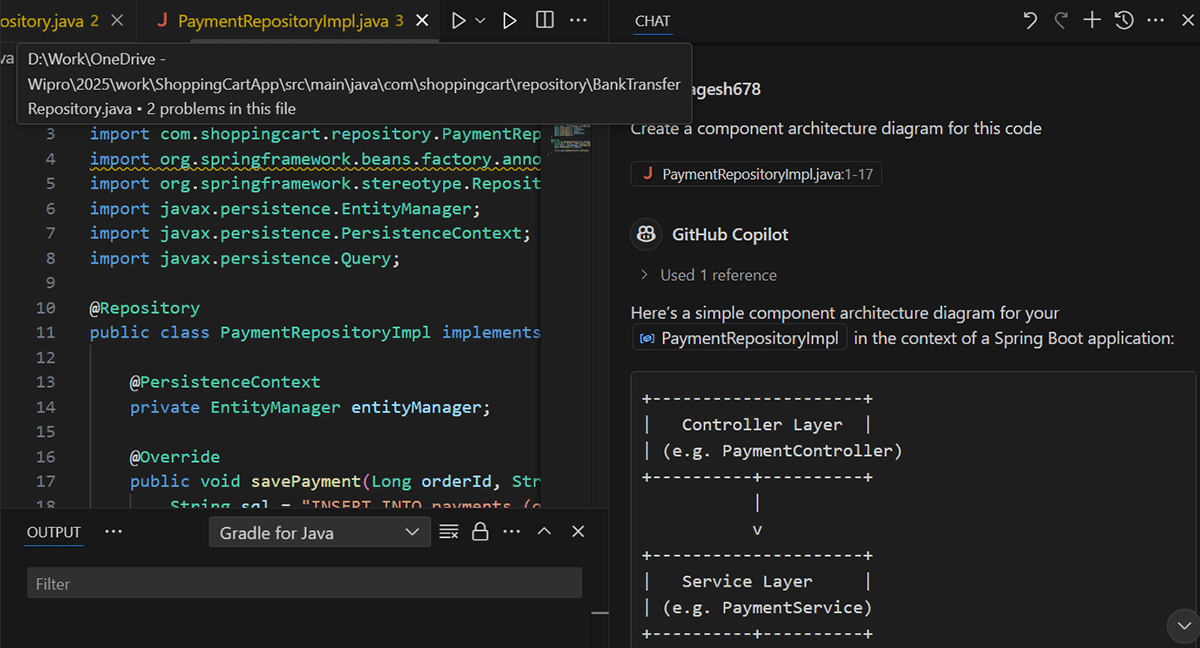
You can use this diagram to create markdown diagrams (like Mermaid JavaScript framework) and make visual diagrams in documentation like the GitHub wiki pages.
GitHub Copilot is a game-changer for developers, particularly when working on Enterprise Java applications. Its ability to assist in code development, correction, review, documentation, and testing significantly boosts productivity. By integrating Copilot into your development workflow, you can focus on solving complex problems instead of routine coding tasks.