
























































Docker Offload, a fully managed service offered by Docker, supports GPU acceleration and helps run compute intensive AI workloads seamlessly.
Deploying AI applications requires heavy computing resources (especially in the case of GPU acceleration) and developers may not have these on their local laptops and cloud servers. This can be a challenging scenario for building and testing AI applications seamlessly. This is why Docker has launched Docker Offload, which connects a user to the cloud engine and provisions the GPU acceleration needed for an AI application. It helps developers use Docker as a fully managed service.
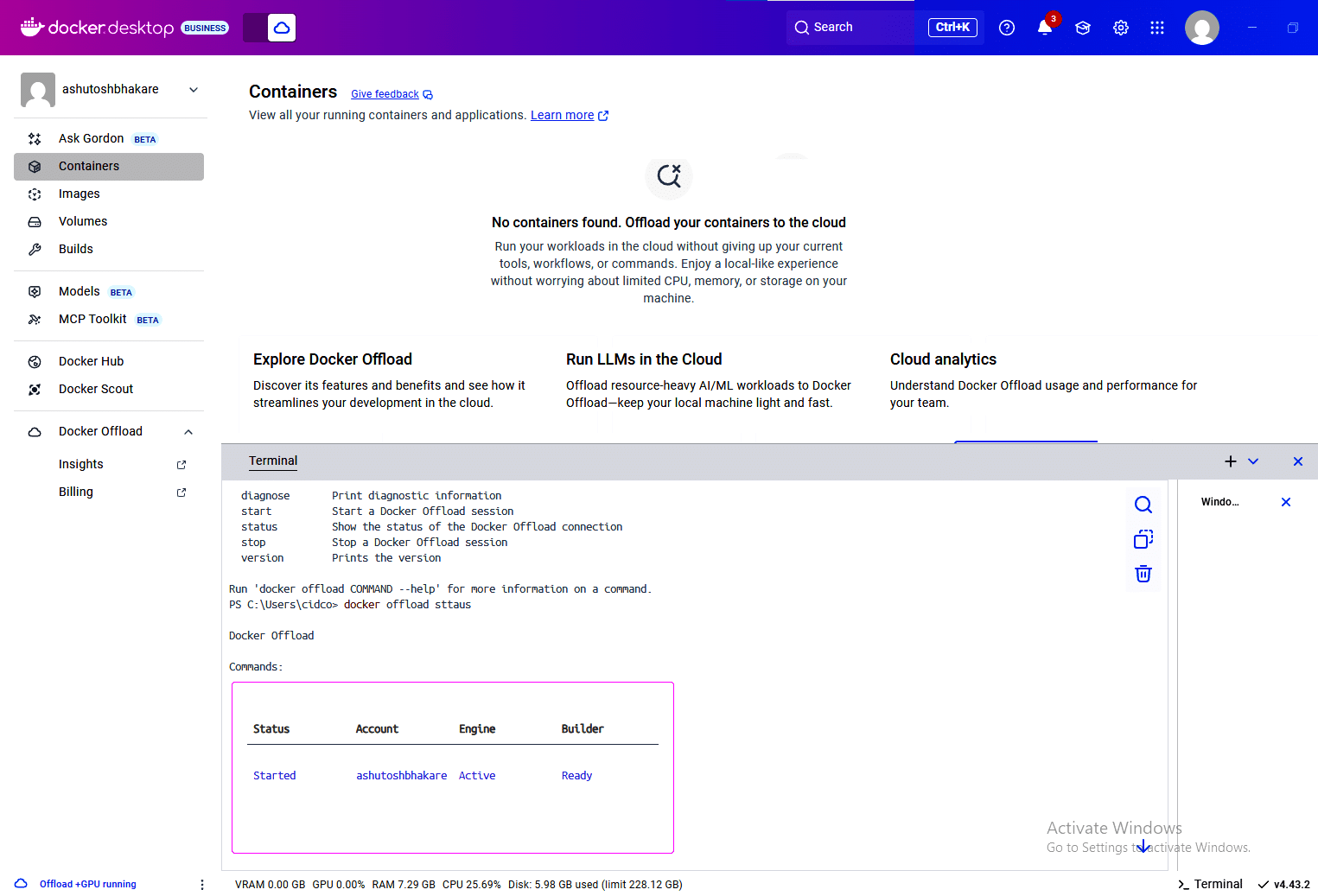
Once your request to utilise Docker Offload is granted, you will see a screen as shown in Figure 1.
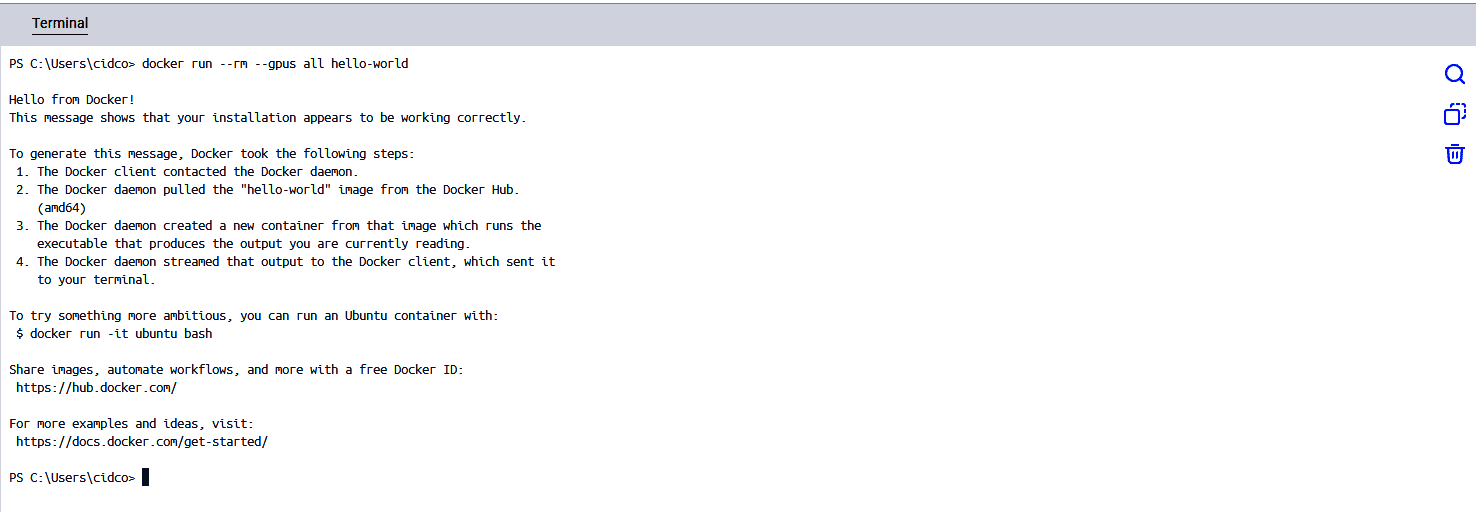
We can check GPU acceleration by starting a container with the –gpus option as shown below:
# docker run --rm --gpus all hello-world
If you get an output as shown in Figure 2, Docker Offload is working fine.
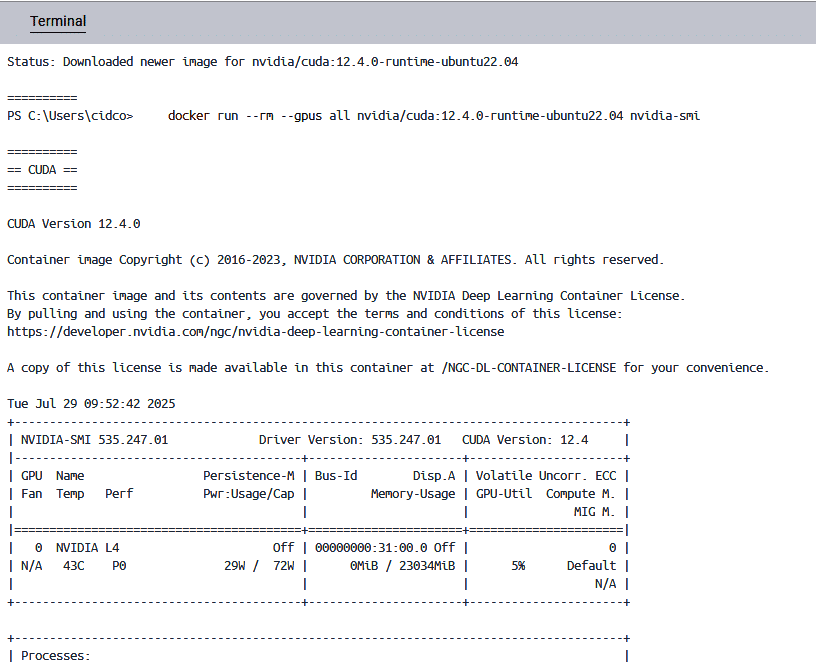
To check the configuration of the NVIDIA process, we can use the command given below:
# docker run --rm --gpus all nvidia/cuda:12.4.0-runtime-ubuntu22.04 nvidia-smi
You can see the output in Figure 3.
The advantages of Docker Offload are:
- Remote build based on cloud.
- NVIDIA L4 GPU backend, which helps developers run any compute intensive workload seamlessly.
- Encrypted tunnel between the Docker desktop and cloud environment.
To know more about this fully managed service provided by Docker, you can go to https://docs.docker.com/offload/about/.