
























































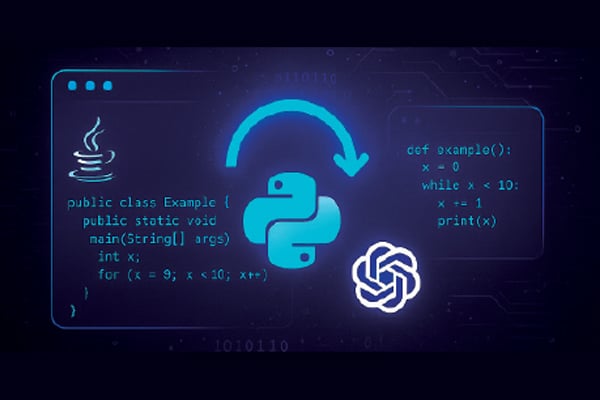
This short guide illustrates that automating Java code modernisation with Python and OpenAI API is not just possible—it’s remarkably effective.
Modernising legacy Java code is a crucial but often labour-intensive task. Whether you’re updating code to the latest Java standards, refactoring for performance, or migrating projects to frameworks such as Spring Boot, software teams face a formidable challenge. Fortunately, advances in generative AI—especially models like OpenAI’s GPT—offer a new way to automate this process. With Python’s ease of scripting and integration, it becomes possible to build a tool that prompts the OpenAI API with Java code snippets and receives modernised versions in response.
Let’s now walk through building a Python script that automates Java code modernisation using OpenAI API calls. We’ll explore the architecture, explain each component of the script, and provide practical examples, including prompts for upgrading Java code or migrating to Spring Boot. Code snippets and sample outputs will help you clearly understand how to build and use this automation.
Why automate Java code modernisation?
Before we dive into the technical implementation, let’s briefly consider why automation is valuable.
- Consistency: Automated modernisation ensures standardised upgrades across large codebases.
- Efficiency: Automation saves developer time, especially for repetitive tasks.
- Scalability: Large-scale migration projects can be handled with minimal manual intervention.
- Quality: AI-based suggestions can reveal best practices you may overlook.
Designing the Python script
To follow this guide, you need:
- Python 3.7 or higher
- OpenAI API access and key
- The OpenAI Python package (pip install openai)
- The core idea is to write a Python script that:
- Accepts legacy Java code (from a file or string).
- Constructs a prompt instructing OpenAI to modernise the code.
- Sends the prompt to OpenAI’s API using Python.
- Receives and displays the modernised Java code
Let’s break down the script and understand each part.
Step 1: Setting up the OpenAI API
First, you’ll need your OpenAI API key. For security, it’s best to keep this in an environment variable. Here’s how you can initialise the API client in Python:
import os
import openai
openai.api_key = os.getenv(“OPENAI_API_KEY”)
Step 2: Constructing the prompt
The prompt is the instruction you provide to the model. The quality and clarity of your prompt largely determine the output. For Java modernisation, prompts can vary depending on your goals—for example, general upgrades to newer Java syntax, or specific migration to Spring Boot.
Here’s an example of a prompt for upgrading Java code to Java 17:
prompt = “

You are an expert Java developer. Modernize the following
Java code to conform to Java 17 standards, improving readability,
performance, and using new language features where applicable. Please
return only the updated Java code.

“
For a Spring Boot migration, you may use a prompt like:
prompt = “


Act as a senior Java developer. Refactor the following servlet-based
Java code to use Spring Boot, applying best practices and using annotations.
Return the modernized Spring Boot code only.

“
Step 3: Calling the OpenAI API
Now, let’s see how to make the API call and retrieve the response:
response = openai.ChatCompletion.create(

model=”gpt-3.5-turbo”, # or another model, e.g., gpt-4

messages=[

{“role”: “system”, “content”: “You are an expert Java developer.”},

{“role”: “user”, “content”: prompt}

],

max_tokens=800

)

modernized_code = response[“choices”][0][“message”][“content”].strip()

print(modernized_code)
This code sends your prompt to the API and prints out the updated Java code.
Step 4: Building a full script
Let’s put it all together. Below is a simple but complete Python script that reads Java code from a file, constructs a prompt, calls OpenAI, and writes the modernised code to a new file.
import os

import openai

def read_java_file(file_path):

with open(file_path, ‘r’) as f:

return f.read()

def write_java_file(file_path, content):

with open(file_path, ‘w’) as f:

f.write(content)

def modernize_java_code(legacy_code, task=”upgrade”):

if task == “springboot”:

prompt = f”””

Act as a senior Java developer. Refactor the following servlet-based Java code to use Spring Boot, applying best practices and using annotations. Return the modernised Spring Boot code only.
Servlet-based Java code is:
{legacy_code}

“””

else:

prompt = f”””

You are an expert Java developer. Modernise the following
Java code to conform to the latest Java standards (e.g., Java 17),
improving readability, performance, and using new language features
where applicable. Please return only the updated code.
Legacy Java code is:
{legacy_code}

“””

response = openai.ChatCompletion.create(

model=”gpt-3.5-turbo”,

messages=[

{“role”: “system”, “content”: “You are an expert Java developer.”},

{“role”: “user”, “content”: prompt}

],

max_tokens=800

)

return response[“choices”][0][“message”][“content”].strip()

if __name__ == “__main__”:

openai.api_key = os.getenv(“OPENAI_API_KEY”)

input_file = “legacy_code.java”

output_file = “modernized_code.java”

legacy_code = read_java_file(input_file)

modernized_code = modernize_java_code(legacy_code, task=”upgrade”) # or “springboot”

write_java_file(output_file, modernized_code)

print(f”Modernized code written to {output_file}”)
Java modernisation in action
Let’s walk through a realistic legacy Java example to see how this works.
Suppose your file legacy_code.java contains:
public class Rectangle {

private int length;

private int width;

public Rectangle(int length, int width) {

this.length = length;

this.width = width;

}

public int getArea() {

return length * width;

}

}
The script generates a prompt like:
You are an expert Java developer. Modernize the following Java code to conform to Java 17 standards, improving readability, performance, and using new language features where applicable. Please return only the updated Java code.
Legacy Java code is:
public class Rectangle {

private int length;

private int width;

public Rectangle(int length, int width) {

this.length = length;

this.width = width;

}

public int getArea() {

return length * width;

}

}
Here’s an example of how OpenAI may respond:
public record Rectangle(int length, int width) {

public int getArea() {

return length * width;

}

}
Notice how the code now uses the record feature introduced in Java 16, streamlining the class definition.
Let’s now take a Spring Boot migration example.
Servlet-based legacy code is:
import java.io.*;

import javax.servlet.*;

import javax.servlet.http.*;

public class HelloServlet extends HttpServlet {

public void doGet(HttpServletRequest request, HttpServletResponse response)

throws ServletException, IOException {

response.setContentType(“text/html”);

PrintWriter out = response.getWriter();

out.println(“Hello, World!”);

}

}
The script, with task=”springboot”, constructs the relevant prompt and gets this possible OpenAI output:
import org.springframework.boot.SpringApplication;

import org.springframework.boot.autoconfigure.SpringBootApplication;

import org.springframework.web.bind.annotation.GetMapping;

import org.springframework.web.bind.annotation.RestController;

@SpringBootApplication

public class HelloApplication {

public static void main(String[] args) {

SpringApplication.run(HelloApplication.class, args);

}

}

@RestController

class HelloController {

@GetMapping(“/”)

public String hello() {

return “Hello, World!”;

}

}
The servlet is now modernised into a concise, annotation-driven Spring Boot application.
Best practices for prompt engineering
To get optimal results, keep the following in mind:
- Be specific: Clearly state the modernisation task and expectations.
- Limit output scope: Ask the model to return code only, without extra commentary.
- Iterate: Experiment with prompt phrasing and refine for better results.
Validating the Python script
When it comes to ensuring that your Python automation script is functioning as intended, a thoughtful approach to validation and testing is essential. Begin by outlining the key functionalities the script should cover—this makes it easier to define what ‘success’ looks like for your automation. Develop a set of test cases that represent both typical scenarios and potential edge cases, so that you can observe how the script behaves under different conditions.
For validation, consider running the script with controlled input data and checking whether the outputs match your expectations. It’s equally important to verify the script’s integration with other systems or APIs, ensuring that the automation behaves correctly when interacting with external components. Logging and clear error messages can be invaluable during this process, helping you pinpoint issues quickly.
When designing a test strategy, aim for a balanced mix of unit testing (to check individual components or functions) and end-to-end testing (to confirm the full workflow operates smoothly). Automation of these tests using frameworks like pytest can save time and catch regressions early. Document your test cases and maintain them alongside your script to keep your testing process consistent as your automation evolves. Ultimately, a well-planned testing strategy not only builds confidence in your script’s reliability but also paves the way for future enhancements with minimal risk.
By combining powerful prompt engineering with Python’s straightforward scripting and OpenAI’s generative capabilities, you can transform legacy Java codebases at scale, accelerating development and unlocking new possibilities. The examples above offer a blueprint to get started, but you can easily extend the script for batch processing, integration with CI/CD pipelines, or additional modernisation tasks.
With this new approach, upgrading your Java projects is no longer a daunting manual effort—it becomes a collaborative process between the developer and AI, executed with speed, precision, and creativity.