



























































Secure and safe networks are the need of the hour. This brief tutorial explains in detail how OpenZiti, an open source software-defined networking platform, can be used to set up a Zero Trust network environment.
As a security model, Zero Trust adheres to the tenet of “never trust, always verify” while granting access to any network resource. This ensures that the system will insist on authentication and authorisation before allowing any user or device, no matter how legitimate they may seem, to access sensitive data or network resources.
For building safe virtual networks, OpenZiti provides an open source software-defined networking (SDN) platform. Ziti networks are virtual networks that network managers may set up and maintain with ease. These networks can link devices and apps together, no matter where they are. Connecting and securing Internet of Things (IoT) devices, cloud services, and on-premises applications has never been easier than with OpenZiti. To protect information while it is in transit, it employs a Zero Trust security approach and offers end-to-end encryption.
Why OpenZiti?
OpenZiti’s design aims to reduce the attack surface because it is based on zero trust principles. In what ways does it achieve that? By keeping all services and ports hidden from the public internet. Contrast this with virtual private networks (VPNs), which often have vulnerable open ports. This smaller assault surface is advantageous.
OpenZiti employs intelligent routing. Optimal latency and bandwidth are achieved by it choosing the optimum path for traffic. This is useful if network performance is paramount in dispersed systems or worldwide applications.
Additionally, it supports hybrid and multi-cloud environments. Having a system that can be easily configured to work across diverse environments is becoming more valuable as more and more organisations migrate their operations to the cloud. With OpenZiti, you can easily link devices in the cloud, on-premises, and at the edge.
The fact that it is open source means that there is a community working on improving it. Businesses in need of expert assistance may find comfort in the fact that NetFoundry offers commercial support as well.
Let’s now see how we can set up a Zero Trust network environment using OpenZiti.
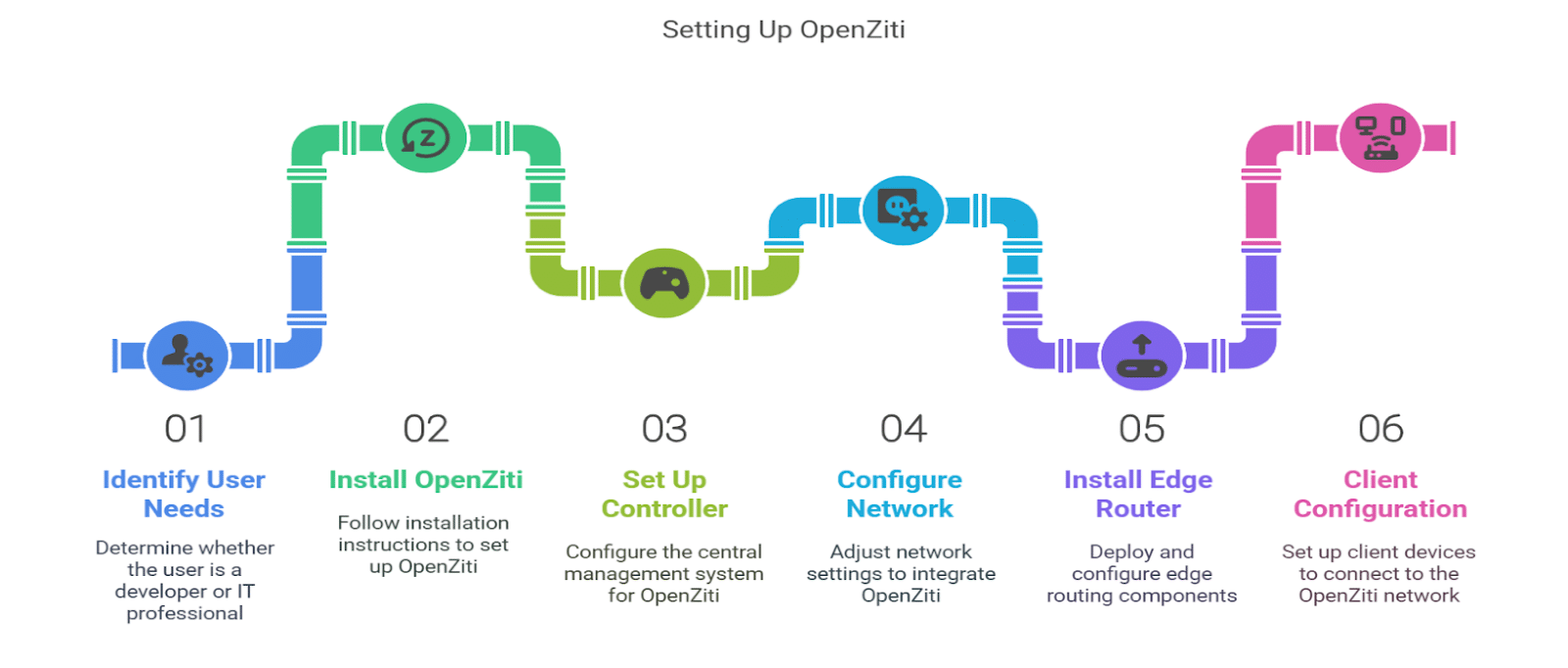
Prerequisites and installation
Before you begin, ensure you have the following:
- A server or cloud instance to host the OpenZiti controller.
- Basic knowledge of command-line interface (CLI) operations.
- Installed dependencies such as Go (version 1.16 or later) and Docker.
Open your terminal and run the following command to clone the OpenZiti repository:
git clone https://github.com/openziti/ziti.git
cd ziti
Now navigate to the cloned directory and build the necessary components:
make all
Setting up the controller
Use Docker to run the OpenZiti controller. Execute the following command:
docker-compose up -d
Check the status of the controller by running it. You should see the OpenZiti controller listed among the running containers.
Configure the network
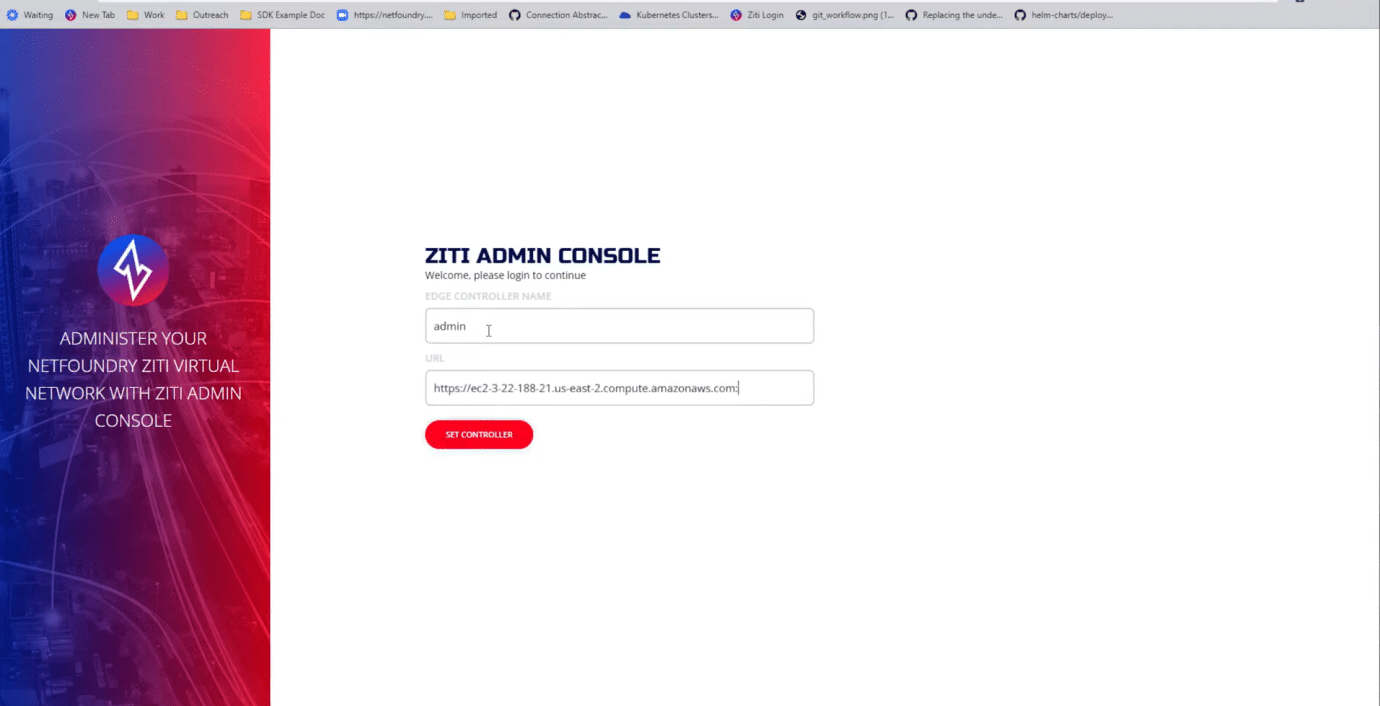
Open your web browser and navigate to http://localhost:1280 to access the OpenZiti dashboard.
Create a new network as follows:
- Click on the ‘Networks’ tab.
- Select ‘Create Network’ and fill in the required details such as network name and description.
Define the services that will be accessible through the OpenZiti network. Click on the ‘Services’ tab and add your services accordingly.
Install the edge router
Use the following command to deploy the edge router:
docker run -d --name ziti-edge-router -p 8443:8443 openziti/ziti-edge-router
Access the edge router configuration and set it up to connect to your network.
Client configuration
Depending on your programming language, install the appropriate OpenZiti SDK. For example, for Go, you can run:
go get github.com/openziti/ziti-sdk-golang
Develop your client application using the OpenZiti SDK. Ensure that it connects to the OpenZiti network and utilises the services you configured.
Testing the setup
Execute your client application and verify that it can successfully connect to the services through the OpenZiti network.
Use the OpenZiti dashboard to monitor network traffic and ensure everything is functioning as expected.
Access the controller’s admin UI at http://localhost:1280 (credentials were set during controller setup).
This detailed method will help create a Zero Trust network environment via the OpenZiti setup and configuration process. Secure management and monitoring of every part of your network can be guaranteed by following these steps—deploying the controller, setting up the edge routers, enrolling client endpoints, and creating granular network policies.
Happy networking!