


























































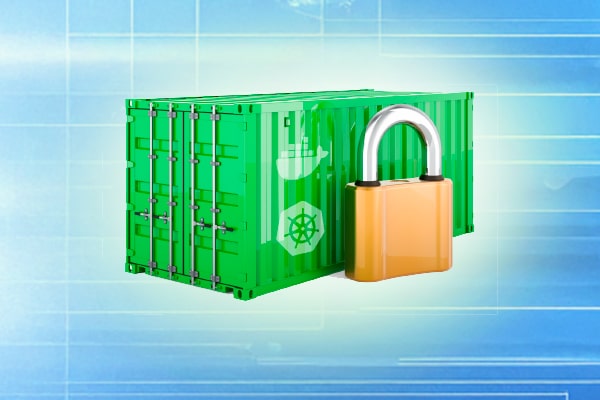
According to a recent survey, 94% of organisations adopting container technology are prioritising security to protect their applications and data. Here are important best practices for securing containers to help developers mitigate risks and protect their applications from potential threats.
Container security refers to the measures and practices aimed at securing containerised applications throughout their lifecycle. With the unique challenges that containers present—such as shared operating systems and dynamic environments—understanding these security concerns is vital. The shared responsibility model highlights that security is a joint effort between the host and the container. While the host environment must be secured, developers also need to ensure their containers are robust against vulnerabilities.
The unique challenges of container security
Container security presents unique challenges that differ significantly from traditional application security. Understanding these challenges is essential for developers aiming to protect their containerised applications effectively.
Shared operating system vulnerabilities: One of the primary challenges of container security is that multiple containers run on the same underlying operating system kernel. This shared architecture can lead to vulnerabilities that, if exploited in one container, may affect others. For instance, if a malicious actor manages to gain access to a vulnerable container running as root, they can potentially exploit the kernel vulnerability to access the host system or other containers.
Real-life scenario: In 2019, a major security breach was reported where attackers exploited a vulnerability in the Docker daemon to gain elevated privileges on the host machine. The attackers were able to create a new container that had full access to the host, leading to a significant data breach in the affected organisation. This incident highlighted the risks associated with container isolation when the underlying host is compromised.
Dynamic environment risks: Containers are designed to be ephemeral and can be created, destroyed, and modified on-the-fly. This dynamic nature poses security challenges, as it becomes difficult to maintain consistent security policies across environments. The rapid scaling of containers can lead to situations where outdated or unpatched images are deployed, introducing vulnerabilities into production environments.
Use case: Consider a development team that frequently deploys new versions of their application using continuous integration and continuous deployment (CI/CD) pipelines. If the CI/CD pipeline is not configured to scan images for vulnerabilities before deployment, a container running an outdated library could inadvertently be pushed to production, exposing the application to known exploits.
Lack of visibility and control: The distributed nature of containerised applications can lead to a lack of visibility into network traffic and application behaviour. Containers often communicate with each other over the network, and without proper monitoring and logging in place, it becomes challenging to detect and respond to suspicious activities. This lack of visibility can hinder incident response efforts and complicate compliance requirements.
Real-life scenario: In 2020, a financial institution faced significant challenges during a security audit due to insufficient logging and monitoring of its containerised applications. The auditors discovered that the organisation had limited visibility into network traffic between containers, making it difficult to identify unauthorised access attempts or data exfiltration. As a result, the institution was required to implement extensive monitoring solutions to comply with regulatory standards.
Misconfigured containers: Misconfiguration is a common issue that can lead to serious security vulnerabilities in containerised environments. With many settings and options available, it’s easy to overlook critical security configurations. For instance, running containers as root users or enabling unnecessary capabilities can expose the application to potential attacks.
Use case: A company deploying a web application in a container forgot to set the appropriate security context for their pods in Kubernetes. As a result, the pods ran with elevated privileges, allowing attackers to execute arbitrary code within the container. This oversight led to a breach where sensitive user data was compromised, demonstrating the importance of secure default configurations.
Supply chain vulnerabilities: The container supply chain includes everything from base images to third-party libraries and dependencies. Each component introduces potential vulnerabilities, making it crucial to maintain a secure supply chain. An attack on a popular base image or a widely used library can have widespread consequences, affecting multiple organisations that rely on those components.
Real-life scenario: In 2021, researchers discovered a vulnerability in a widely used Node.js library that was commonly included in Docker images. This vulnerability allowed attackers to execute arbitrary code within applications that relied on the library. Many organisations using these images faced immediate risks, prompting them to scramble for patches and updates to mitigate the vulnerabilities. This incident underscored the need for thorough supply chain security practices, including regular vulnerability scanning and dependency management.
Docker security best practices
Image security
One of the foundational steps in securing Docker containers is to focus on image security. The Docker image is essentially the blueprint for your container and using insecure or unverified images can lead to significant vulnerabilities. Here are some best practices for image security.
Use trusted base images: Start by using official images from Docker Hub or other reputable sources. Avoid using generic images that may contain malware or vulnerabilities.
Regularly scan images for vulnerabilities: Use tools like Trivy, Clair, or Aqua Security to scan images for known vulnerabilities before deploying them. This proactive measure can help identify and mitigate risks early in the development process.
Implement image signing and verification: Docker Content Trust (DCT) allows you to sign images and verify their authenticity before deployment. This ensures that only trusted images are used in your deployments.
Container configuration
Proper container configuration is critical for maintaining security. Here are some essential practices.
Limit container privileges: Running processes as non-root users can significantly reduce the risk of unauthorised access and privilege escalation attacks. Use the USER directive in your Dockerfile to specify a non-root user.
Configure resource limits: Setting CPU and memory limits helps prevent denial-of-service attacks and resource exhaustion. This can be done using the –memory and –cpus flags when running a container.
Use read-only file systems: Employing read-only filesystems for containers prevents unauthorised modifications and can help protect against certain types of attacks. Use the –read-only flag when starting your containers.
Network security
Network security plays a vital role in protecting containerised applications. Here are key practices to enhance network security.
Implement network segmentation: Utilise Docker networks to isolate containers from one another. This limits the exposure of sensitive services and reduces the attack surface.
Use firewalls and security groups: Configure firewalls and security groups to restrict access to sensitive services and minimise the risk of external attacks. This includes setting up rules to allow only necessary traffic to your containers.
Secure communication between containers: Always use secure communication protocols such as TLS/SSL for data in transit between containers. This ensures that sensitive information is encrypted and protected from eavesdropping.
Logging and monitoring
Enabling comprehensive logging for container activity allows for greater visibility into operations and potential security incidents. Here are best practices for logging and monitoring.
Enable container logging: Configure logging for your containers using Docker’s logging drivers or a centralised logging solution like the ELK stack (Elasticsearch, Logstash, Kibana) or Fluentd. This helps capture logs for analysis and troubleshooting.
Monitor for unusual behaviour: Use monitoring tools to track container performance and detect anomalies. Tools like Prometheus and Grafana can provide insights into resource usage, while security tools can alert you to suspicious activity.
Establish alerting mechanisms: Set up alerts for critical events such as unauthorised access attempts or unusual spikes in resource usage. This enables you to respond quickly to potential security incidents.
Kubernetes security best practices
Cluster security
Securing the Kubernetes cluster itself is paramount. Here are several practices to enhance cluster security
Secure the Kubernetes API server: The API server is the central control point for a Kubernetes cluster. Implement role-based access control (RBAC) to manage permissions and ensure that users have access only to the resources they need.
Regularly update and patch components: Keep Kubernetes components up to date to mitigate vulnerabilities. Regularly check for updates and apply security patches as needed.
Use namespaces for resource isolation: Namespaces provide a way to segregate resources within a cluster. Use them to isolate applications and limit the scope of potential security breaches.
Pod security
Implementing pod security policies (PSPs) is a proactive way to control pod behaviour and ensure that security practices are enforced.
Define pod security policies: PSPs allow you to define a set of conditions that a pod must meet to be accepted into the cluster. This includes restrictions on running privileged containers, host network access, and more.
Utilise security contexts: Configure security contexts to define permissions and capabilities at the pod level. This includes setting runAsUser, runAsGroup, and privileged options.
Configure network policies: Use Kubernetes network policies to manage traffic flow between pods. This helps control which pods can communicate with each other, reducing the risk of lateral movement in case of a breach.
Secrets management
Managing sensitive information securely is crucial in Kubernetes.
Use Kubernetes Secrets: Store sensitive data such as API keys, passwords, and certificates in Kubernetes Secrets. This prevents hardcoding sensitive information in application code.
Encrypt secrets at rest: Ensure that secrets are encrypted both at rest and in transit. Kubernetes supports encryption at rest using KMS (key management service) providers.
Control access to secrets: Implement strict access controls for secrets, ensuring that only authorised pods and users can access them.
Monitoring and auditing
Enabling audit logs for the Kubernetes API can provide invaluable insights into operations and potential security incidents.
Enable audit logging: Configure audit logging to track requests to the API server, providing a detailed history of access and changes to resources.
Monitor cluster activity: Use monitoring tools like Prometheus, Grafana, and security solutions such as Falco to detect anomalies in cluster activity and respond to potential threats.
Common security vulnerabilities in containers
Even with the best practices in place, containerised applications can still be susceptible to vulnerabilities. Some common security issues include:
Misconfigured permissions: Allowing containers to run with excessive privileges can lead to unauthorised access and potential exploitation.
Unpatched vulnerabilities: Failing to regularly update images and dependencies can expose your applications to known vulnerabilities.
Insecure APIs: Exposing insecure APIs can provide attackers with a way to exploit your applications. Always enforce authentication and authorisation mechanisms on APIs.
Being aware of these vulnerabilities allows developers to implement proactive security measures to mitigate risks effectively.
Security tools and resources
Various tools are available to enhance security practices for Docker and Kubernetes.
Image scanners: Tools like Trivy, Clair, and Aqua Security can identify vulnerabilities in container images before deployment. Regularly scanning images helps ensure that only secure versions are used.
Runtime security: Solutions such as Falco and Sysdig help monitor container behaviour in real-time, detecting suspicious activity and potential breaches.
Compliance and governance: Open Policy Agent (OPA) and kube-bench can help enforce compliance and security policies within your container environments, ensuring adherence to best practices.
As the landscape of containerisation evolves, staying informed about emerging threats and security trends will empower developers to navigate this dynamic environment securely. By implementing best practices for Docker and Kubernetes, developers can significantly reduce the risk of vulnerabilities and protect their applications.