





















































Find out what the recently launched Docker Model Runner is and how to deploy an AI application using it.
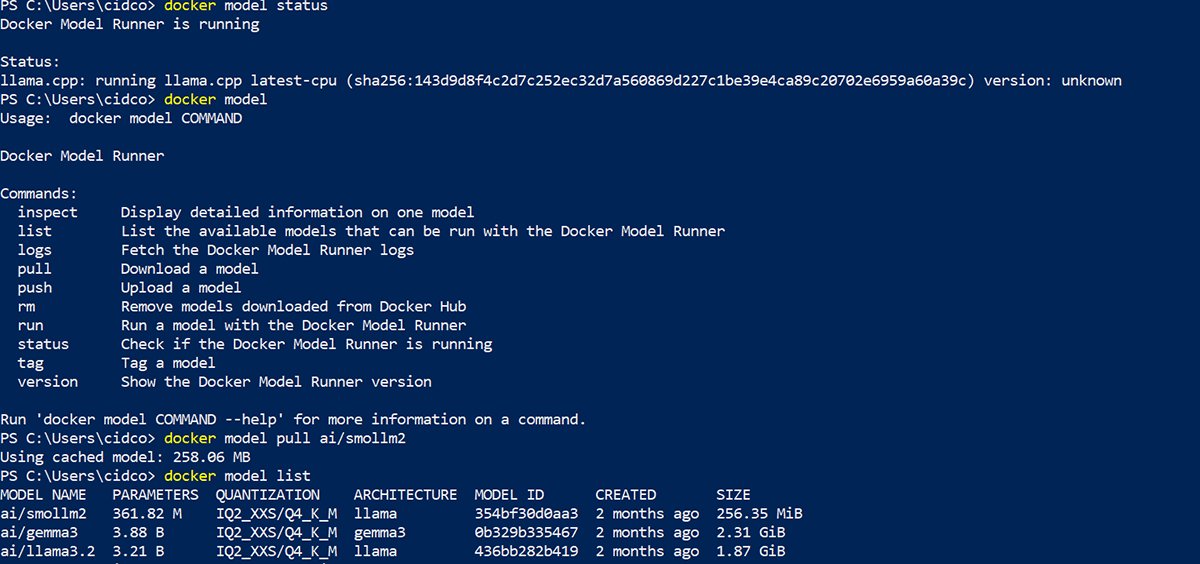
Docker has just launched Docker Model Runner to help developers run or test LLM-based applications locally by pulling the model running with the Docker Desktop (minimum version required is 4.40) on localhost. This beta feature must be enabled in the Docker Desktop settings. We can pull different models like ai/smollm2, ai/deepseek-r1-distill-llama, ai/llama3.2, etc, from the Docker model registry at https://docs.docker.com/ai/model-runner/, as well as any of the required models on localhost as per our requirements. Once the Docker Model Runner is enabled we can work with the Docker model using the commands shown in Figure 1.
Let’s use the ai/smollm2 model in our AI Agent, which is built on top of a Python application that will be using the Model Runner as a backend for all interactive chats. The following code snippet calls the Docker Model Runner:
response = requests.post(

# f”{MODEL_RUNNER_URL}/engines/llama.cpp/v1/chat/completions”,

f”{MODEL_RUNNER_URL}/engines/v1/chat/completions”,

json={

“model”: “ai/llama3.2:latest”, # Example model, can be changed

“messages”: [{“role”: “user”, “content”: prompt}],

“max_tokens”: 100

}
)
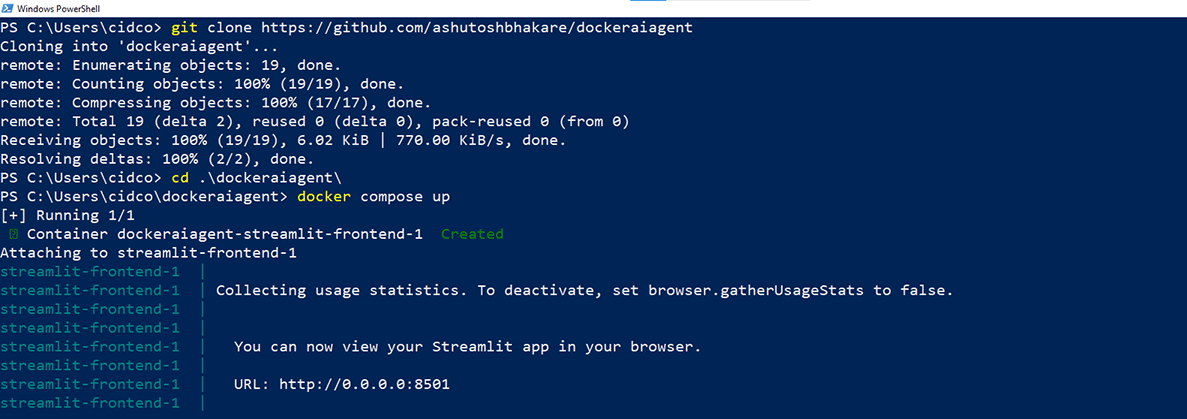
To deploy this application, we just need to clone the git code (https://github.com/ashutoshbhakare/dockeraiagent) as shown in Figure 2.
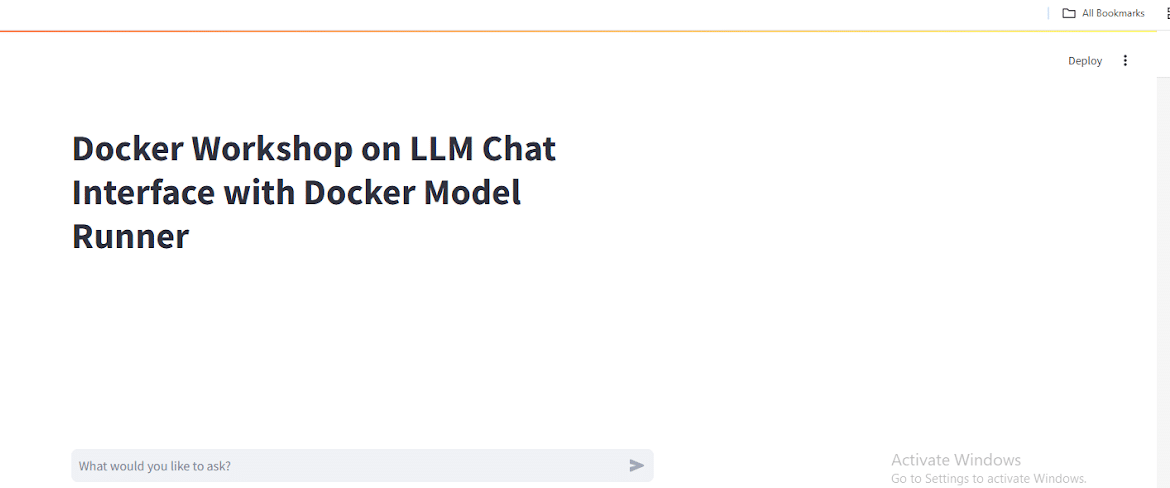
This will build an image and run a container on port 8501. We can access it on localhost as seen in Figure 3.
Advantages of Docker Model Runner
Run everything locally
We don’t need to pull anything from web live; this reduces latency issues and enables security compliance.
Direct access to hardware GPU
As Docker Model Runner uses llama.cpp, the dependency on virtualised environments is reduced.
All AI models at once place
As a developer we don’t need to worry about managing multiple models from different places.
AI models can run on local machines
Using Docker Model Runner we can interact with the AI model directly on local machines.
Apart from Docker Model Runner, Docker has recently launched Docker Ask Gordon and the Docker MCP toolkit as well. For more updates, do visit docker.com.