



























































Here’s a review of some of the most significant features and enhancements introduced in Python 3, responsible for making it the programming language that developers love to work with.
Python 3 was first released in 2008 with the aim to end the long-standing inconsistencies found in Python 2, the earlier version of the programming language. However, for years, it had gaps in toolchains, unsupported libraries, and legacy code making developers unwilling to migrate to it. The tide turned in January 2020 when the sun set on Python 2. From then on, Python 3 has become the preferred and the sole maintained and supported version of Python.
Today, Python 3 is used widely. Libraries and frameworks are designed and built using Python 3 — from Django and Flask to NumPy and TensorFlow. Schools don’t teach anything except Python 3. Every new release of the language continues to enhance its performance and readability. New error-reporting schemes and support for modern programming practices have helped Python 3 secure its position as the default platform for all forms of software development.
Clean and consistent syntax
Python 3 focuses on clarity and consistency. Much of its development has come in the form of improvements to the fundamental syntax elements that form the core of the language. Eliminating certain ambiguities allows one to write code that is easy to maintain. Here are a few code comparisons that show how Python 3 is a major syntactic improvement over Python 2.
print() as a function: Print was a statement in Python 2, not a function. This led to inconsistent behaviour and less flexibility. In Python 3, print is an actual function.
#Python 2

print “Hello, world”
print “Value is”, 42

#Python 3
print(“Hello, world”)
print(“Value is”, 42)
Because print is now a function, you can pass it as an argument, use keyword arguments like sep and end, or wrap it:
def shout(msg):
print(msg.upper())


shout(“hello”)
True division vs floor division (/ vs //): In Python 2, the / operator did integer division when both operands were integers, and floating-point division otherwise. This tended to produce insidious bugs, particularly when programmers expected decimal results.
#Python 2
print 5 / 2 # Outputs: 2 (integer division)

print 5 / 2.0 # Outputs: 2.5 (float division)

#Python 3
print(5 / 2) # Outputs: 2.5 (true division)

print(5 // 2) # Outputs: 2 (floor division)
This change enforces mathematical accuracy and avoids unexpected results in calculations, especially in applications like finance, data analysis, and simulations.
Unicode string support by default: Working with text under Python 2 involved switching back and forth between byte strings (str) and Unicode strings (unicode). Blending the two led to difficult-to-debug encoding issues, especially in web and cross-national applications.
#Python 2
s = u”こんにちは” # Unicode string

b = “hello” # Byte string

print s, b
In Python 3, all strings are Unicode by default, and a separate byte type is used for binary data. This simplifies string handling and makes the language more robust for internationalisation.
#Python 3
s = “こんにちは” # Unicode by default
b = b”hello” # Byte string


print(s, b.decode()) # Convert bytes to string for display
The result is safer, cleaner code that handles multilingual and encoded data more gracefully, which is critical for APIs, user interfaces, and file processing.
Code examples: Python 2 vs Python 3: Suppose you’re coding a script that gathers user feedback, computes an average rating, and prints a ‘thank-you’ message along with some internationalised text.
Let’s begin by seeing how this would look in Python 2, then how Python 3 refines it with improved syntax, string manipulation, and safer behaviour.
#Python 2

feedback = [

{“name”: “Alice”, “rating”: 5, “comment”: u”Great service!”},

{“name”: “Bob”, “rating”: 4, “comment”: u”Buen trabajo”},

{“name”: “Chika”, “rating”: 3, “comment”: u”良いサービス”}

]


total = 0
for entry in feedback:
print “User:”, entry[“name”]
print “Comment:”, entry[“comment”].encode(“utf-8”)
total += entry[“rating”]


average = total / len(feedback) # Integer division!
print “Average rating:”, average
The issues in Python 2 are:
- You need to encode Unicode strings manually (.encode(“utf-8”)).
- Integer division (/) silently discards the decimal.
- print is a statement, limiting composability and formatting.
#Python 3

feedback = [

{“name”: “Alice”, “rating”: 5, “comment”: “Great service!”},

{“name”: “Bob”, “rating”: 4, “comment”: “Buen trabajo”},

{“name”: “Chika”, “rating”: 3, “comment”: “良いサービス”}

]


total = 0
for entry in feedback:
print(f”User: {entry[‘name’]}”)
print(f”Comment: {entry[‘comment’]}”)
total += entry[“rating”]


average = total / len(feedback) # True division!
print(f”Average rating: {average:.1f}”)
This Python 3 script is easier to read, safer (particularly with Unicode and division), and simpler to expand to — for instance, printing to a file or web page. These very modest modifications are what make Python 3 the better option for everyday programming.
Type hints and static typing
If the type of an object changes at runtime, it may encourage easy prototypes and rapid development but may not be suitable for developers working on highly complex systems for very large programs. It can create bugs and the errors may not get detected until the runtime, making it almost impossible to track the origin of those bugs, especially in large projects with many modules.
Type-safe languages allow passing of arguments of either primitive or user-defined types to functions, much in contrast with the returns from the function, which are type-consistent with the original invocation. In other words, compile-time languages like Java and C++ work hard to ensure type errors are detected at compile time rather than at runtime to avert crashing of the executable.
The advent of type hints in Python allows the static analysis tools `mypy` and `Pyright` to be deployed by programmers. These tools verify the code for type issues before the actual execution of the program, finding errors earlier in the development cycle. This results in fewer bugs in the production code, smoother teamwork among developers, and increased maintainability.
Syntax and examples of type hints: Type hints allow you to specify the expected types for function parameters and return values. The basic syntax looks like this:
def function_name(parameter: type) -> return_type:
Example: A simple function that adds two integers:
def add(a: int, b: int) -> int:

return a + b
The benefits of type hints are:
Improved clarity: Type hints make it clear what types of inputs and outputs are expected.
Error detection: Tools like mypy can detect type errors before runtime.
Better tooling support: IDEs can offer enhanced features like autocompletion and inline documentation.
Easier maintenance: Type hints make it easier to understand and maintain the code, especially in large codebases.
Documentation: Type hints act as self-documenting code, reducing the need for additional comments.
Python’s dynamic typing sometimes results in problems that manifest only at runtime. Tools such as mypy, Pyright, and VS Code have been created to assist developers in using type hints more effectively, making their code type safe.
mypy: The static type checker: mypy checks whether the types are aligned with the annotations, helping detect possible wrong processes even before the execution of the code. This results in fewer bugs and easy reading of the code, mostly to big code bases, as type management can become complicated at such levels.
Pyright: A faster alternative: Microsoft has come up with pyright, a type checker especially useful for big codebases because it is quick. The tool is equipped to work with advanced Python features such as async programming. In fact, pyright can be used with live type checking in VS Code by providing instant feedback while the developer is coding.
VS Code: Integrated development environment support for mypy and Pyright: This popular code editor supports mypy and Pyright for use in the type-checking process. These provide for real-time error detection in the editor, enabling developers to pinpoint and fix problems right there in their environment.
The use of these tools enhances code quality since they detect type errors early and promote collaboration with clear, consistent type definitions. Real-time feedback and static analysis help developers to write cleaner and more reliable code.
Here’s a simple example of a type-annotated function:
def greet(name: str) -> str:
return f”Hello, {name}!”
In this function:
name: str specifies that the name parameter should be a string.

-> str indicates that the function will return a string.
This helps clarify the expected input and output types, making the code easier to understand and reducing the chances of type-related errors.
F-strings: The new string formatting way
String formatting is an integral aspect of Python programming, and with the arrival of f-strings in Python 3.6, it has improved and is easier to read. F-strings enable developers to include expressions directly inside string literals, and hence the code becomes neater and faster.
Prior to f-strings, Python relied on the % operator and the .format() method for string formatting. The % operator, taken from C-style formatting, was easy but error-prone when dealing with several variables. The .format() method was more powerful but still demanded method calls and was verbose.
F-strings replaced these mechanisms by placing variables directly within the string using curly braces {}, as follows:
greeting = f”Hello, {name}! You are {age} years old.”
Performance and readability improvements: F-strings are not just more readable but are usually a lot faster than the alternatives because they evaluate an expression during runtime and insert it directly into the string format. Hence, f-strings clearly outdo .format() and %.
On the readability side, the code is cleaner and more comprehensible. One does not have to worry any more about the order of placeholder or format specifiers.
product_name = “Laptop”

price = 999.99

quantity = 3


# Using f-string

message = f”Product: {product_name}, Price: ${price:.2f}, Quantity: {quantity}”

print(message)
The output is:
Product: Laptop, Price: $999.99, Quantity: 3
In this case, the f-string inserts the values of product_name, price, and quantity directly into the string. It also rounds the price to two decimal places.
F-strings provide a more straightforward, more efficient means of formatting strings and are thus the method of choice for Python programmers today.
Pattern matching (since version 3.10)
An advanced feature added in the Python 3.10 version is pattern matching, which supports more expressiveness and readability in the code while dealing with complex data structures. It makes it easier for programmers to match data against a given pattern and select appropriate portions of it in a simple and easily readable declarative style.
What it is and why it matters
Pattern matching allows you to check for specific shapes or values in data structures such as tuples, lists, dictionaries, etc. This is somewhere analogous to switch/case statements used in other programming languages, although it is far more powerful in the case of Python. Instead of a series of if/elif conditions, pattern matching lets you write simple and more readable code while working with different data structures or conditions.
The main advantage is that it provides a way of associating data to specific patterns and extracting the values seamlessly, without the excessive use of conditional statements. This means cleaner and more understandable code, especially for complex conditions or nested data structures.
Real-world applications: Parsing instructions, extraction of data
In real-life scenarios such as command parsing, user input processing, and data extraction from complex structures, pattern-matching proves its worth. Consider a command-line argument parser with different options or flags for each command. Pattern matching allows the programmer to condense multiple cases into a single handling entity and avoid cluttering the code with different checks.
Another application is retrieving possible values from structured data — for example, JSON or XML. This is also where pattern matching can help locate values or structures fast, so that the data handling from APIs or files can be easier.
def describe_value(value):

match value:

case int():

return “It’s an integer!”

case str():

return “It’s a string!”

case list():

return “It’s a list!”

case _:

return “Unknown type”


print(describe_value(42)) # Output: It’s an integer!

print(describe_value(“hello”)) # Output: It’s a string!
In this case:
- The match statement tests the type of the value.
- The case statements test for different patterns (int(), str(), list()), and return the respective result.
- The _ (underscore) case is a default for any value that fails to match the given patterns.
Pattern matching makes conditional checks easier and provides for more readable, understandable management of different data types or forms, and thus is an asset to Python developers.
Asynchronous programming with async and await
Asynchronous programming allows you to write programs that efficiently execute non-blocking operations, keeping them responsive. To make async programming more readable and easier, Python has added the keywords async and await. With the use of these keywords, you are able to declare asynchronous functions that can concurrently perform tasks without blocking the execution in the main thread, making them suitable for I/O operations, web requests, or multiple-event processing.
Event-driven architecture and concurrency
An event-driven approach is a programming paradigm where the flow of execution is dictated by events such as user inputs, messages, or I/O operations. Event-driven programming fits best for applications that need to run multiple tasks simultaneously without any blocking — web servers or GUI applications being the prime ones.
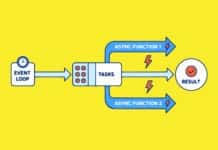
In an event-driven design, instead of performing one task after another, one performs a task as soon as certain events occur. The use of async and await in Python enables it to write asynchronous code capable of processing various events simultaneously to provide efficient programs. The asyncio library serves as a motif for these asynchronous tasks and contains an event loop responsible for orchestrating the execution of asynchronous functions.
Comparison with threads and processes
Async and await represent another approach to asynchronous programming different from typical concurrency methods based on processes or threads.
Threads run in parallel, and therefore each will have its own execution context. They are memory-intensive and are complicated, especially when sharing resources. Processes run in their own memory space, totally independent of one another. They are best suited for CPU-bound applications; however, the overhead imposed by inter-process-communication may lead to slow speeds.
By contrast, asynchronous programming takes one thread and switches between tasks mimicking simultaneous execution, a much more memory-efficient approach. This has merit for I/O-bound operations, such as issuing several different network requests, where most of the time is spent waiting.
import asyncio


async def fetch_data(url):
print(f”Fetching data from {url}”)
await asyncio.sleep(2) # Simulating network delay
print(f”Data fetched from {url}”)


async def main():
await asyncio.gather(
fetch_data(“https://example.com”),
fetch_data(“https://another.com”)
)

# Run the event loop
asyncio.run(main())
#Output
Fetching data from https://example.com
Fetching data from https://another.com
Data fetched from https://example.com

Data fetched from https://another.com
In this case:
The fetch_data function is an asynchronous function that mimics fetching data from a URL. The await asyncio.sleep(2) mimics a delay.
- The main function utilises asyncio.gather to execute two fetch_data tasks concurrently.
- The event loop, handled by asyncio.run(main()), makes sure that both tasks execute concurrently without blocking one another.
This illustrates how asynchronous programming enables multiple tasks to execute concurrently in a non-blocking manner, enhancing performance and efficiency, particularly for I/O-bound operations.
Performance enhancements
Performance remains at the forefront of continuing Python development. With every revision or improved version, CPython — the current implementation of Python — is made better in terms of speed, memory consumption, and performance. Optimisations have been made in both Python 3.11 and 3.12, which greatly improve the performance of programs written in Python, regardless of when they were developed.
CPython optimisations in 3.11 and 3.12
A new set of optimisations has been installed in Python 3.11 to improve performance and speed by 10%-60%, irrespective of the workload type. One of the major contributors to this higher speed is the new bytecode interpreter in 3.11, which has been optimised to boost performance.
Python 3.12 has fine-tuned an already optimised interpreter and garbage collector system. The optimisations reduce overhead for some operations and offer enhanced memory management performance, especially for long-running applications.
These optimisations are essential for developers involved in large-scale applications or performance-critical systems since they allow Python to efficiently handle complex tasks without the need to switch to lower-level languages for performance reasons.
Faster function calls and improved memory management
Optimisation of function calls is one of the biggest performance gains in the latest versions of Python. The function call overhead has been reduced and function invocations made more efficient in Python 3.11. This is an important development, given that function-calling forms an integral part of the execution model adopted in Python. For this reason, it is mainly performance-critical applications that rely heavily on function calls — web frameworks, scientific computing, and AI/ML libraries benefit from faster execution.
Memory management has also been greatly improved in Python 3.11. Memory handling optimisations make the language more memory efficient than before in terms of memory allocation and garbage collection. An all-new memory allocator is less prone to possible fragmentation and hence is more efficient. This leads to less memory use, with better overall application performance, particularly for applications working with large datasets or allocated memory a lot of the time.
Improved error messages and tracebacks
The fine-tuning of error messages and tracebacks is another prime improvement in Python 3.11. Tracebacks give context to the error in English, as to precisely where it has occurred, which aids the developer in debugging or understanding what really went wrong when looking through large custom code. Some of the messages now provide descriptions of exceptions and even useful hints about possible remedies.
Speed improvements introduced in Python 3.11 and 3.12 make the language fast, efficient, and a pleasure to debug. From rapid function calls to memory management and instructive messages on errors, these enhancements optimise Python’s performance without sacrificing any of its simplicity and readability. This means developers end up writing better-performing code while enjoying Python’s high-level abstractions.
Modern standard library tools
The Python standard library is one of its greatest strengths, with a myriad of modules and functionalities that make third-party packages obsolete. The standard library is under continuous change and undergoes additions of new modules along with modifications to the existing ones with every new version. In Python 3.11 and 3.12, some of the really big pieces have been upgraded, further reducing the need for third-party packages and making the language infinitely versatile for developers.
Python 3.11 and 3.12 have brought major enhancements to several standard library modules, which are now a must for most developers.
pathlib: A modern replacement for managing filesystem paths, pathlib offers a clean and consistent API for manipulating file paths on any operating system. With additional methods and enhanced performance, pathlib is becoming the module of choice for filesystem operations, supplanting the legacy os and os.path modules in most applications.
zoneinfo: zoneinfo was introduced in Python 3.9 and enables Python programs to operate with time zones more efficiently and reliably. zoneinfo has been improved in Python 3.11 and Python 3.12 to manage more sophisticated time zone calculations and minimise errors involved in time zone management.
concurrent.futures: This module makes parallel execution with threads or processes easier. Python 3.11 and 3.12 added performance optimisations to concurrent.futures, which improves concurrent task execution efficiency, particularly on multi-core processors.
statistics: The statistics module has improved, offering quicker calculations for mathematical functions such as mean, median, and standard deviation. This module is ideal for simple statistical analysis, minimising the use of heavier libraries such as NumPy for simple work.
Improvements in such standard library modules indicate that Python is focusing on relying less on third-party packages and libraries for fulfilling standard tasks. While not eliminating libraries such as ‘requests’ or ‘numpy’, which are critical for some specialised purposes, developers can now carry out most of their tasks using the native integrated tools of Python, namely, file operations, time zone, concurrency, and statistics.
By improving these modules, Python allows cleaner, less dependent code to be written without constantly creating new dependencies, minimising the potential for version mismatch and bugs.
from pathlib import Path

from zoneinfo import ZoneInfo

from datetime import datetime

#Using pathlib to work with file paths

file_path = Path(“/home/user/data”) print(file_path.exists()) # Check if the file exists

#Using zoneinfo to convert to a specific time zone

utc_time = datetime.utcnow().replace(tzinfo=ZoneInfo(“UTC”))

ny_time = utc_time.astimezone(ZoneInfo(“America/New_York”))

print(f”Time in New York: {ny_time}”)
In this case:
- We employ pathlib to handle and verify a file path.
- We employ zoneinfo to convert the current UTC time to New York time, considering time zone offsets.
These libraries illustrate how Python’s built-in library keeps expanding to accommodate developers’ needs, providing solutions that were previously the purview of third-party packages.
The additions to Python’s core library in releases 3.11 and 3.12 enable programmers to generate more efficient, cleaner, and self-contained software. Modules such as pathlib, zoneinfo, concurrent.futures, and statistics help manage common programming issues without external dependencies, entrenching Python’s image as an efficient and flexible language.
Virtual environments and dependency management
Efficiently managing dependencies is the cornerstone of Python project maintenance as the project matures and acquires different libraries. Virtual environments serve as a major utility for encapsulating dependencies on a per-project basis, so that libraries installed for a certain project do not interfere with a different project. This permits developers to carry out multiple projects concurrently without having to worry about dependency conflicts or differences in package versions.
Why a virtual environment (venv) is necessary
A virtual environment sets up a standalone environment for each project, in which you may install and work on dependencies while leaving global Python installation untouched. This is especially important in scenarios when different projects need to use different versions of the same library. Through venv, Python’s built-in virtual environment creation utility assures that dependencies for every project are isolated. This greatly helps manage environment reproducibility, especially when sharing projects with another team or deploying code.
Alternatives are Pipenv, Poetry, and Conda
While venv will do just fine for basic dependency management, there are other alternatives that work much better.
- Pipenv: Automatically creates and manages a virtual environment for your projects, as well as adds/removes packages from your Pipfile as you install/uninstall packages. It also generates the Pipfile.lock file, which is a snapshot of the environment, for dependency resolution, hence making for reproducible environments.
- Poetry: A tool to manage dependencies and packaging for anything from environment setup to publishing packages.
- Conda: An open source package manager, which supports cross-platform solutions and is not limited to Python.
Here’s the code for some functions when working in a virtual environment.
|
Create the virtual environment |
python -m venv myenv |
|
Activate the environment |
Myenv\Scripts\activate(Windows) source myenv/bin/activate(Mac OS/Linux) |
|
Deactivate the environment when done |
deactivate |
Virtual environments are critical for Python development since they ensure that project dependencies do not conflict. Although venv is a simple solution, packages such as Pipenv, Poetry, and Conda offer more features when it comes to handling complicated environments. Virtual environments guarantee that projects are well-organised and dependencies easily managed.
Python 3 has come a long way since its inception. From clean and consistent syntax to advanced typing support, f-strings, and virtual environments, its core team keeps developing tools that make coding easier and faster. The transition from Python 2 to Python 3 did seem daunting at first, but improvements like print() as a function and Unicode support by default have made it all the more powerful and flexible for contemporary software development. Other features discussed here have made the language relevant for big enterprise applications, while enhancing the readability and maintainability of the code, making the language more popular.