






















































Open source libraries like PyTorch and TensorFlow have made hardware-independent AI
development simpler and are enabling high-performance computing on Windows.
Historically, the Windows operating system has been viewed as a suboptimal choice for high-performance artificial intelligence (AI) workloads, largely due to limited support for GPU computing and research-oriented frameworks. Linux-based systems are the ones mostly chosen for AI development environments by academia and enterprises. However, this perception has changed a lot in the recent past.
Open source AI frameworks have come a long way, the GPU acceleration technologies have improved a lot, and the introduction of the Windows Subsystem for Linux (WSL) have all played a part in making Windows a viable and competitive platform for AI experimentation and deployment. Compatibility with deep learning workflows is now one of the features that Windows boasts, while it maintains usability, enterprise integration, and developer accessibility. Consequently, AI practitioners can work on the whole cycle of a model from development to testing to deployment on Windows and do not have to rely on an OS or infrastructure.
The backbone of this transition is made up of different open source libraries such as PyTorch, TensorFlow, ONNX Runtime, and scikit-learn. These libraries help to overcome vendor lock-in and make research reproducible. They also make hardware-independent AI development a more straightforward task. A real AI computation pipeline can now be run on Windows efficiently, demonstrating that Windows is not only compatible with open source frameworks but also capable of handling meaningful tensor operations.
Here’s an example of an open source AI stack on Windows:
import torch
import platform
print(“Operating System:”, platform.
system())
print(“PyTorch Version:”, torch.__
version__)
print(“CUDA Available:”, torch.cuda.
is_available())
High-performance AI models on Windows for constrained hardware
A common challenge in AI development is executing computationally extensive models on systems with constrained hardware resources. Most of the Windows-based systems that students, researchers, and practitioners have access to operate with low GPU memory, small CPU cores, and limited power budgets. There are several methods of working around these limitations to enhance the performance of AI processes:
- Use of pre-trained and transfer learning models, doing away with the need for starting training.
- Carrying out computations with mixed precision, so that memory consumption is reduced and inference gets faster.
- Removing some parts of the model through pruning and quantization, thus shrinking size and lowering costs of computations.
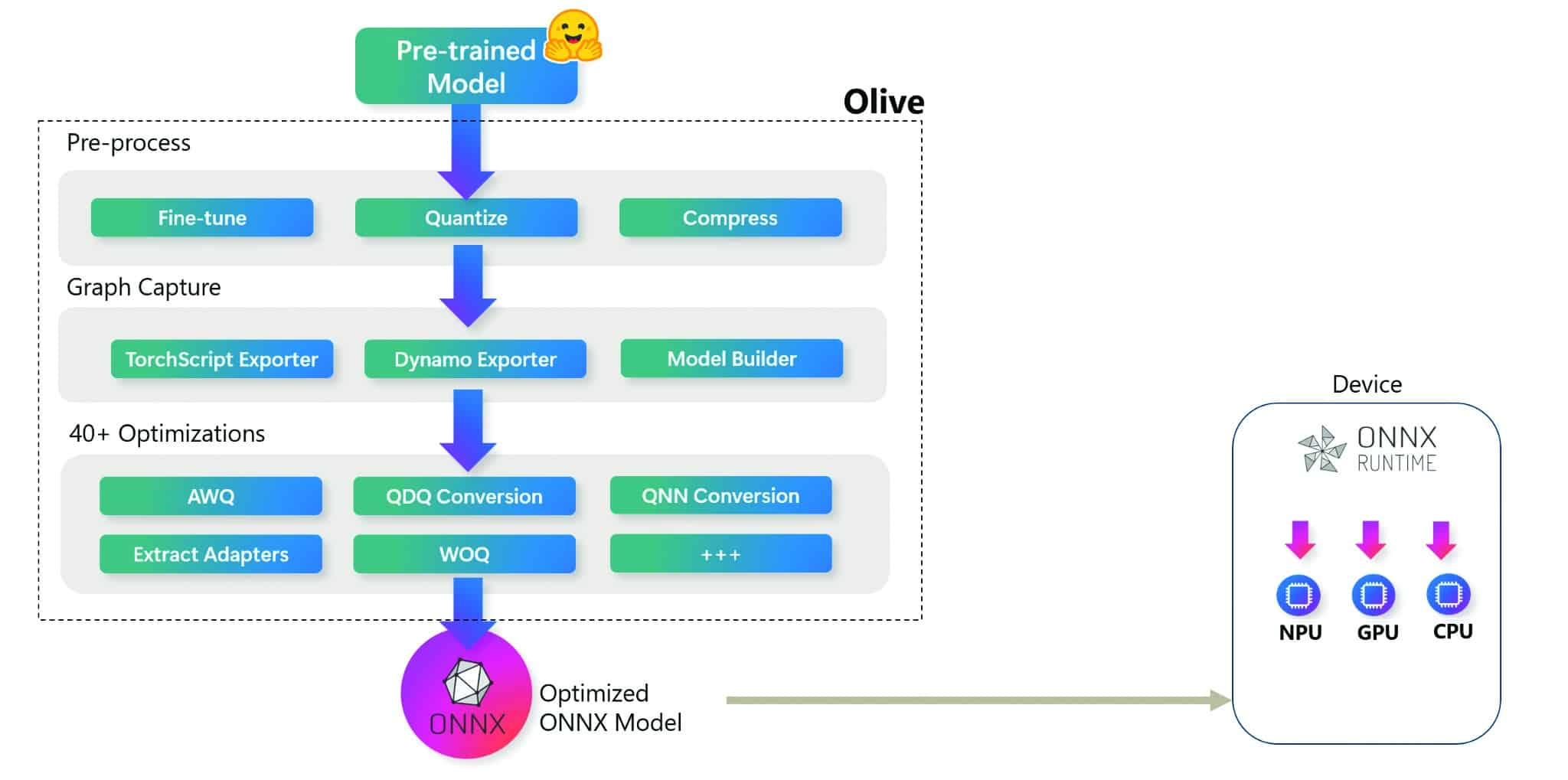
- Using efficient inference engines like ONNX Runtime and optimised PyTorch backends.
These methods help AI applications developed for high-end computers run even on everyday PCs running Windows, as the memory and computational overhead are significantly reduced while the standards of performance are maintained.
Numerous ways of optimisation allow the execution of demanding AI workloads on limited Windows hardware with good performance. As an example, you can use the following code to deploy a compact CNN for efficient inference:
import torch
from torchvision.models import
mobilenet_v2
device = torch.device(“cuda” if torch.
cuda.is_available() else “cpu”)
model = mobilenet_v2(weights=”DEFAULT”).
to(device).eval()
dummy_input = torch.randn(1, 3, 224,
224, device=device)
with torch.no_grad():
_ = model(dummy_input)
print(f”Inference executed on {device}”)
GPU acceleration on Windows: CUDA and DirectML
New age AI models require huge computational power, so the use of GPUs for acceleration has become a necessity during both training and inference. Windows supports two main methods: CUDA for NVIDIA GPUs, and DirectML for all-device accepted acceleration.
CUDA-based acceleration: Using CUDA, NVIDIA GPUs can carry out parallel computations, accelerating deep learning tasks. PyTorch and TensorFlow are able to work closely with CUDA on Windows, guaranteeing almost the full GPU performance of a native application.
Here’s an example of GPUaccelerated matrix multiplication with PyTorch:
import torch
a = torch.randn(1000, 1000,
device=”cuda”)
b = torch.randn(1000, 1000,
device=”cuda”)
c = torch.matmul(a, b)
print(“Matrix multiplication completed on GPU”)
Direct ML: DirectML hides the details of the specific hardware used and thus allows acceleration on NVIDIA, AMD, and Intel GPUs. Usually paired with ONNX Runtime, DirectML is the best choice for inference tasks in business settings that have mixed GPU configurations.
Here’s how ONNX Runtime can be paired with DirectML:
import onnxruntime as ort
providers = [“DmlExecutionProvider”]
session = ort.InferenceSession(“model.
onnx”, providers=providers)
print(“Using providers:”, session.get_
providers())
AutoML and low-code AI: Accelerating model development
The AutoML (automated machine learning) frameworks make the whole machine learning process much easier by taking care of the most important tasks like model selection, feature engineering, and hyperparameter optimisation through automation. This leads to a drastic reduction in development time, especially for machine learning applications involving structured and tabular data.
AutoML vs low-code AI: A comparison
| Aspect | AutoML | Low-code AI |
| Purpose | Automates model selection, training, and tuning |
Simplifies AI development using visual workflows |
| Coding requirement | Minimal coding or configuration-based |
Very low or no coding required |
| Target users | Data scientists and AI researchers |
Domain experts and business users |
| Customisation level | Limited but performance oriented | Moderate, UI-driven customisation |
| Primary use case | High-performing baseline and production models |
Rapid prototyping and quick deployment |
Among the various open source AutoML tools available for Windows platforms, H2O AutoML, Auto-Sklearn, and FLAML are the most popular ones. By using these frameworks, machine learning practitioners with little or no experience in algorithm tuning can also quickly develop strong baseline models.
H2O-based AutoML on Windows: H2O AutoML can automate the entire process of training and evaluating several models and picking the one that performs the best. The following code illustrates this:
import h2o
from h2o.automl import H2OAutoML
# Initialize H2O
h2o.init()
# Load dataset
data = h2o.import_file(“dataset.csv”)
# Split data into training and testing
sets
train, test = data.split_
frame(ratios=[0.8], seed=42)
# Run AutoML
aml = H2OAutoML(max_runtime_secs=300,
seed=42)
aml.train(y=”target”, training_frame=train)
# Retrieve the best-performing model
leader = aml.leader
print(“Best model:”, leader.model_id)
AutoML vs custom models: Choosing the right approach
Automated machine learning (AutoML) and custom models are two different paths to AI development. AutoML is the winner when it comes to speed, accessibility, and quick experiments, while custom models grant more control, flexibility, and performance tuning. The decision to go for one or the other is influenced by a number of variables like the complexity of the problem, the need for performance, and the amount of expert knowledge available. AutoML can create very good baseline models quickly and thus support development in the early stages. If, however, one needs very fine architectural control or domain-specific optimisation, custom models are the way to go.
Here’s an example of a custom neural network using PyTorch:
import torch.nn as nn
import torch
class CustomNet(nn.Module):
def __init__(self):
super().__init__()
self.fc1 = nn.Linear(20, 64)
self.fc2 = nn.Linear(64, 1)
def forward(self, x):
x = torch.relu(self.fc1(x))
return self.fc2(x)
Future of open source AI on Windows
The main trends that are shaping the future of open source AI on Windows include:
- Deeper integration of DirectML that allows GPU acceleration across different vendors.
- More effective AutoML frameworks that cut down development time and costs.
- Smooth hybrid CPU–GPU workflows for performance.
- Stronger support from the open source community, which leads to the development and collaboration of new ideas.
With these advancements, AI on Windows has become an easily scalable, user-friendly, and future-proof platform for researchers, developers, and enterprises alike.