

























































The integration of Docker with generative AI makes it easier to create and deploy AI applications, especially those that use vector databases and large language models (LLMs).
Generative AI is automating content creation, code generation, image synthesis and other tasks across a variety of industries thanks to models like GPT and Stable Diffusion, as well as other large-scale neural networks. GenAI can also generate hypothetical scenarios along with real use cases using applications like Leonardo AI and Microsoft Designer (Figure 1).
Generative AI models often require:
- Key dependencies (CUDA, PyTorch, TensorFlow and Hugging Face libraries)
- Specific Python or operating system packages
- GPUs for efficient processing
- Consistent environments for training and inference
Table 1: How generative AI is useful for businesses
| GenAI activity | Application |
| Creativity amplification | Creativity and innovation |
| Implementation barriers | Job displacement |
| Product development | Customer service |
| Ethical concerns | Ethical frameworks and AI regulation |
| Ethical considerations | Improving decision making with predictive analytics |
| Automated content production | Automation |
| Quality control | Risk management |
| Generative AI techniques | Improved productivity |
| Marketing and advertising | Optimise product designs |
| Automation and efficiency | Bolster cybersecurity |
| Personalised customer experiences | Personalisation |
| Content creation and design | Mathematical optimisation |
Integration of generative AI with Docker
A key factor in improving the scalability and deployment of generative AI systems is Docker, a potent containerisation platform. Docker guarantees consistent performance across a range of systems, from local computers to cloud platforms, by encapsulating AI models, dependencies and runtime environments into separate containers.
This is especially helpful for workflows involving generative AI, which frequently use sophisticated libraries like Hugging Face Transformers, TensorFlow and PyTorch. By offering reproducible environments, which are essential for research using large language models (LLMs), image synthesis, or multimodal AI, Docker makes it easier for data scientists and developers to collaborate.

Docker is frequently used to expedite the creation and implementation of AI chatbots, image generators, synthetic data pipelines and real-time inference services, among other use cases. In order to enable scalable and flexible AI systems, it also supports microservices architectures, in which various generative components such as text creation, image rendering, or voice synthesis run in distinct containers.
In addition, Docker streamlines CI/CD pipelines for continuous training and deployment in research or production contexts, and enables the edge deployment of lightweight AI models in IoT or mobile applications. Docker enables practitioners of generative AI to create, test and deliver intelligent applications effectively and consistently.
Common use cases of Docker and generative AI are:
- Text generation with GPT models.
- Utilising FastAPI or Flask, packaging a GPT model (such as GPT-Neo, GPT-J, or LLaMA) and implementing it via a REST API.
- Stable diffusion for image generation.
- Making use of Dockerized environments with support for the GPU to carry out inference pipelines using models like Stable Diffusion.
- Creating developer tools that, when containerised for CI/CD deployment, use LLMs to generate boilerplate code.
- The virtual assistant and chatbot containerise the deployment of conversational agents for incorporation into websites, customer service, or embedded systems.
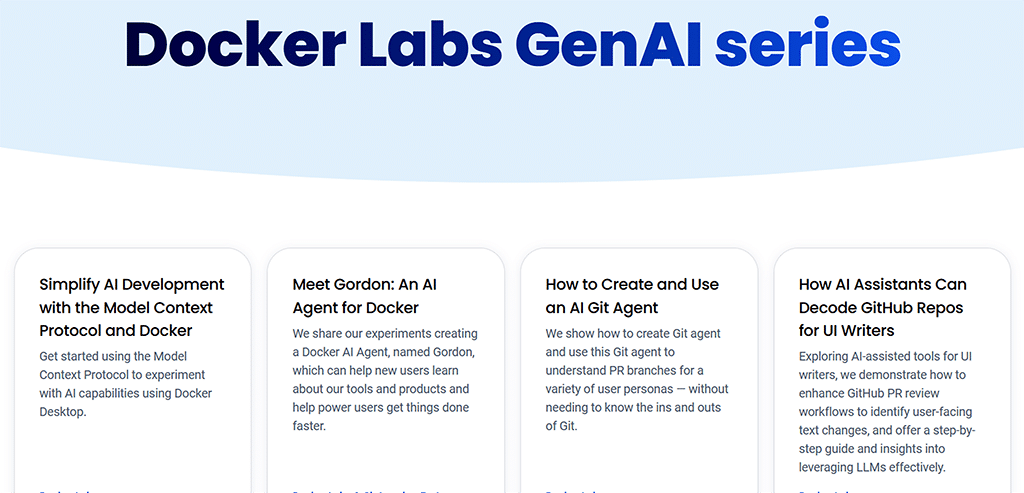
Here’s an example of the integration of generative AI in a Docker container.
Set up a small Flask server using the Hugging Face Transformers library to generate text with GPT. For example, a prompt ‘Once upon a time’, sent to a local web server, will return the text generated by GPT-2.
Next, create your project folder by creating a new directory:
mkdir my-gpt2-docker-app
cd my-gpt2-docker-app
Now, create app.py:
# app.py
from flask import Flask, request, jsonify
from transformers import pipeline
app = Flask(__name__)
generator = pipeline(“text-generation”, model=”gpt2”)
@app.route(“/generate”, methods=[“POST”])
def generate():
mydata = request.get_json()
myprompt = data.get(“myprompt”, “Hello world”)
myresult = generator(myprompt, max_length=50, num_return_sequences=1)
return jsonify(result)
The requirements.txt is:
flask
transformers
torch
The Dockerfile is:
# Use an official Python image
FROM python:3.10-slim
# Set working directory
workingdir /app
# Copy code
COPY . .
# Install dependencies
RUN pip install --no-cache-dir -r requirements.txt
# Expose port
EXPOSE 5000
# Run the app
CMD [“python”, “app.py”]
You can now build and run the Docker container. Open the terminal inside my-gpt2-docker-app directory and run:
# Build the image
docker build -t mygpt2-textgen .
# Run the container
docker run -p 5000:5000 mygpt2-textgen
To test the implementation in a new terminal, send a request using curl:
curl -X POST http://localhost:5000/generate \
-H “Content-Type: application/json” \
-d ‘{“prompt”: “Once upon a time”}’
The JSON response text will be generated as the output.
Here’s another example of Dockerizing a GPT-based text generator.
The Dockerfile is:
FROM python:3.10
# Install dependencies
RUN pip install --no-cache-dir transformers torch flask
# Copy application code
workingdir /app
COPY app.py .
# Run the web server
CMD [“python”, “app.py”]
To create app.py, use the following code:
from flask import Flask, request, jsonify
from transformers import pipeline
app = Flask(__name__)
generator = pipeline(“text-generation”, model=”gpt2”)
@app.route(“/generate”, methods=[“POST”])
def generate():
myprompt = request.json.get(“prompt”, “”)
result = generator(myprompt, max_length=50, num_return_sequences=1)
return jsonify(myresult)
Now build and run the container:
docker build -t gpt-text-gen .
docker run -p 5000:5000 gpt-text-gen
You can now send POST requests to localhost:5000/generate.
GPU support for really large language models
To run models like Llama or Stable Diffusion efficiently, use GPU-enabled containers.
The requirements are:
- Docker + NVIDIA container toolkit
- NVIDIA GPU
- Base image like NVIDIA CUDA
The Dockerfile is:
FROM nvidia/cuda:11.8.0-cudnn8-runtime-ubuntu22.04
RUN apt update && apt install -y python3-pip

RUN pip install torch torchvision transformers diffusers
Next, run:
docker run --gpus all my-image-name
Best practices when integrating Docker with genAI include:
- Make use of builds with multiple stages to keep container images light.
- Utilise layer-based model caching to avoid recurring downloads.
- Integrate environment variables for model parameters and configurations.
- For production, use Gunicorn, Uvicorn, or Triton Inference Server.
- Use Prometheus and Grafana to track resource consumption.
GenAI applications can be managed, shared and scaled more easily thanks to the containerisation of AI components by Docker, which addresses the issues with building and running AI models locally and in production.
Using Docker to containerise generative AI applications is a good way to make development, deployment, and scaling of applications easier. Docker lets you focus on innovation without worrying about system-level inconsistencies, whether you’re making an LLM-powered chatbot or a GPU-intensive image generator. As AI continues to evolve, so will the infrastructure surrounding it. Docker is proving to be a cornerstone of that ecosystem.