



















































Encryption at rest protects your files when your device is lost or stolen. Encryption in transit protects your data as it moves across the internet. You need both to be truly secure.
Encryption scrambles your digital information so only authorised users can read it. To fully protect your data, you must secure it in two states: at rest (stored on a device) and in transit (moving across the internet). Free, open source tools offer the most reliable way to do this because their code is publicly audited by global security experts to ensure there are no hidden backdoors.
How encryption works
Encryption transforms readable text (plaintext) into scrambled data (ciphertext) using a cryptographic key.
- Symmetric encryption: Uses the same key to lock and unlock data. It is fast and ideal for large files. AES-256 is the industry standard.
- Asymmetric encryption: Uses a pair of keys—a public key to encrypt and a private key to decrypt. It is slower but allows secure key sharing over the internet.
- Hybrid encryption: Modern systems combine both. They use asymmetric encryption to safely share a symmetric key, which then encrypts the actual data. This is how web traffic (TLS) is secured.
Protecting data at rest
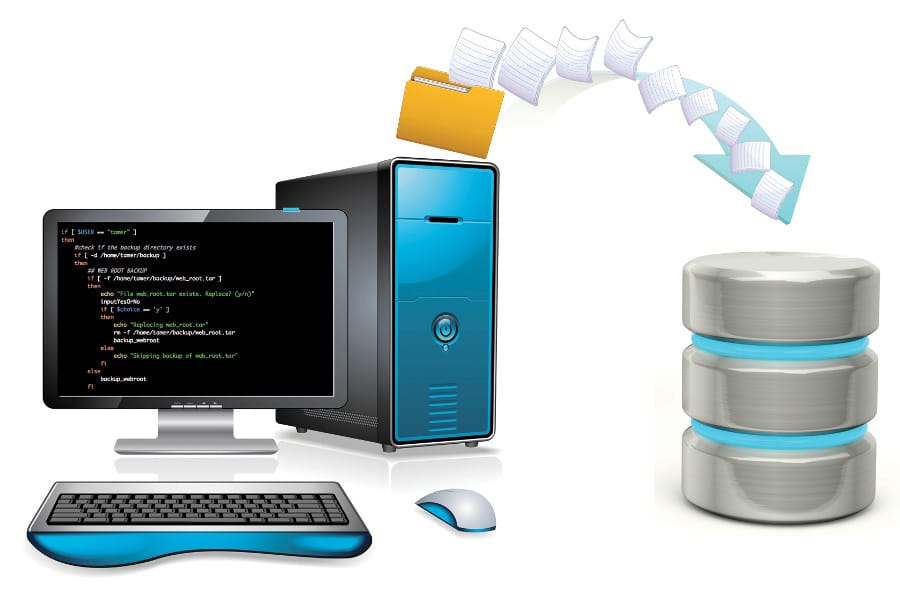
Data at rest is information sitting on a hard drive, phone, USB stick, or cloud server. Without encryption, anyone who physically or digitally accesses the drive can read your files.
The best open source tools for data at rest are:
- VeraCrypt (Linux, Windows, Mac): Ideal for encrypting entire hard drives or creating encrypted virtual folders (containers). It supports robust algorithms like AES and Twofish, though the interface has a slight learning curve.
- LUKS (Linux): The gold standard for Linux users. It is built directly into the OS, allowing seamless full-disk encryption during system installation.
- Cryptomator (cross-platform): Designed specifically for cloud storage (Dropbox, Google Drive, etc). It encrypts your files locally before they upload, ensuring cloud providers cannot read your data.
- gocryptfs (Linux, Mac, Windows): A lightweight tool that encrypts individual files and folders rather than entire drives, offering high flexibility.
Protecting data in transit
Data in transit is information travelling across networks. Without protection, attackers on the same network can intercept and read it.
Transport Layer Security (TLS): TLS encrypts connections between browsers and servers, represented by the padlock icon in your browser URL bar. Always enforce modern versions:
| Version | Status | Security level |
| TLS 1.0 & 1.1 | Deprecated | Broken; do not use |
| TLS 1.2 | Acceptable | Safe only if configured with strong ciphers |
| TLS 1.3 | Preferred | Faster, highly secure, and removes outdated options. |
Top open source tools for data in transit are:
- Let’s Encrypt: An automated, non-profit certificate authority providing free SSL/TLS certificates to secure websites.
- cert-manager: Automates the issuance and renewal of Let’s Encrypt certificates within Kubernetes environments.
- Istio/Linkerd: Service meshes that automatically encrypt internal microservice communications using mutual TLS (mTLS), requiring both sides to verify identity.
- OpenSSL/LibreSSL: Foundational cryptographic libraries that power internet protocols, web servers, and VPNs.
- WireGuard: A fast, lightweight, and modern VPN protocol built into the Linux kernel for secure remote access.
Building an integrated security defence
Integrating encryption for data at rest (stored data) and data in transit (moving data) is about creating a continuous chain of custody. If you only secure data while it travels, it sits exposed on your servers. If you only secure it on your servers, it can be intercepted during transmission.
A seamless integration ensures that data is encrypted at every boundary and that the transition between states happens safely in secure memory.
The core lifecycle: Data in motion vs data at static
To integrate both concepts, you must understand the exact moments where data switches states. The critical security vulnerability occurs at the intersections—the precise moment data is decrypted from the network to be processed or decrypted from the disk to be transmitted.
Here is how data flows through a securely integrated pipeline:
- In transit (the tunnel): Data moves from a client (e.g., a browser or mobile app) encrypted via TLS 1.3. At this stage, network routers and internet service providers can only see scrambled ciphertext.
- The handoff (in-memory processing): The data arrives at the destination server. The server terminates the TLS connection, decrypting the data into the server’s RAM. Crucially, the data should never touch the server’s hard drive in this plaintext state.
- At rest (the vault): Before writing the incoming data to a permanent database or storage disk, the application immediately encrypts it using a symmetric algorithm like AES-256. Once written to disk, it is secured ‘at rest’.
Architecture patterns for integration
In real-world engineering, this integration is achieved using specific architecture patterns depending on the environment.
Pattern A: The secure web application setup
In a standard cloud or web application, the integration acts like a relay race where the ‘data baton’ is always protected.
- Ingress: A user submits sensitive data. It travels over the internet secured by TLS 1.3 (transit).
- Termination: The web server (e.g., Nginx) terminates the TLS connection and hands the plaintext data directly to the application layer inside system memory.
- Application encryption: The application immediately encrypts the data using a unique key before passing it to the database.
- Storage: The database writes the encrypted block to a hard drive protected by full-disk encryption like LUKS or VeraCrypt (rest).
Pattern B: Zero-knowledge cloud storage
For tools like Cryptomator, the integration is completely shifted to the client-side to protect against untrusted cloud providers:
- You create a file on your local machine, which is protected by full-disk encryption (rest – layer 1).
- Cryptomator encrypts the specific file individually using your private passphrase (rest – layer 2).
- The encrypted file is synchronised to the cloud over an HTTPS/TLS connection (transit).
- The cloud provider stores the file. Even if the cloud provider’s servers are breached or they look at your storage, they only see the pre-encrypted file.
The anchor of integration: Unified key management
The biggest operational challenge in combining both forms of encryption is key management. If you use separate, isolated systems to manage your TLS certificates (transit) and your disk/database keys (rest), the system becomes fragile and prone to human error. Integrated systems use a centralised secrets manager, such as HashiCorp Vault, to act as a single source of truth (Figure 1).
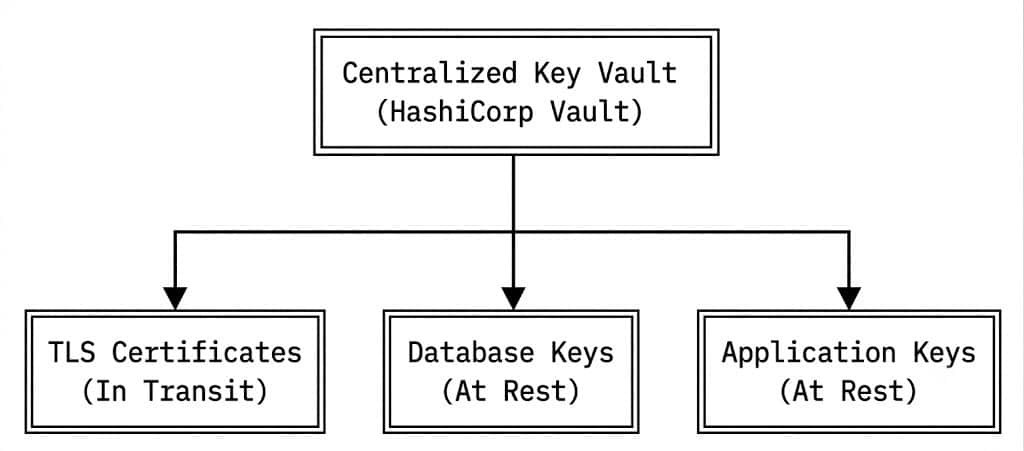
By centralising keys, an organisation can enforce unified security policies. For example, if a server is compromised, the centralised vault can instantly revoke both the network TLS certificates and the database access keys simultaneously, isolating the breach.
Common integration pitfalls
When organisations fail to integrate these concepts properly, they create dangerous gaps:
- The ‘plaintext leak’ in logs: An application receives data securely via TLS 1.3, but before encrypting it to the database, an internal error occurs. The application accidentally writes the raw data to a debugging log file on an unencrypted disk drive.
- Unencrypted local backups: A system perfectly encrypts data on its live database (at rest) and transfers data securely via API (in transit). However, night-time database backups are saved as raw .sql files and compressed into a zip folder without encryption.
- Decrypting at the wrong boundary: Decrypting TLS traffic at a cloud load balancer and then sending that traffic completely unencrypted across internal backend networks to the database server. To fix this, modern systems use mTLS (mutual TLS) to ensure data remains encrypted in transit even inside the internal corporate network.
Here’s the action that should be taken w.r.t. encryption.
Individuals should:
- Turn on full-disk encryption via VeraCrypt or LUKS.
- Use Cryptomator for files stored in OneDrive, iCloud, or Google Drive.
- Keep passwords secure using an open source password manager like Bitwarden.
Teams and organisations can:
- Enforce TLS 1.3 across all public web properties and disable TLS 1.0/1.1.
- Automate certificate renewals using Let’s Encrypt and cert-manager.
- Use WireGuard for all remote company access.
- Secure secrets and encryption keys using HashiCorp Vault.
Why open source matters for security
You might wonder: “If the code is public, can’t attackers find weaknesses more easily?”
The opposite is true. When code is open source, thousands of security experts can inspect it, find bugs, and fix them. With closed source software, you’re trusting one company to get it right—and you can’t verify their claims. Tools like VeraCrypt, LUKS, and Let’s Encrypt have been reviewed by security professionals worldwide. Their transparency is their strength.
Encryption isn’t just for spies and banks. In 2026, it’s a necessity for anyone who values everyone. Start small. Encrypt your laptop today. Set up HTTPS on your website this week. Every step you take makes you—and the people who trust you with their data—safer.
The lock on your digital door is free. There’s no excuse not to use it.