




















































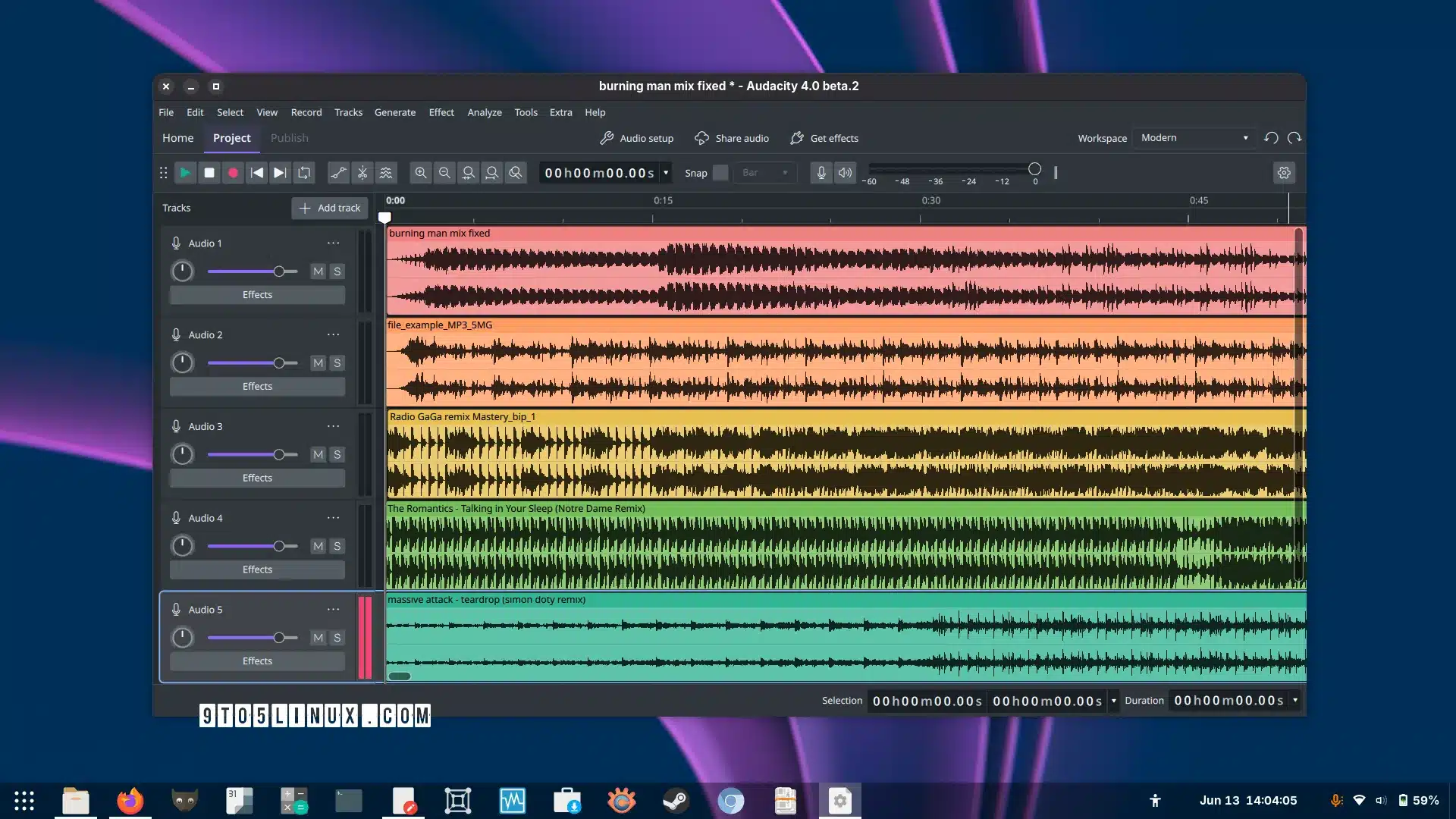

Audacity 4.0 has officially arrived with a redesigned Qt-based interface, a new clip-editing system, customisable workspaces and an updated project format.
The open source audio editor Audacity 4.0 has officially been released, marking one of the biggest updates in the project’s history. The new version rebuilds the application’s interface using Qt and introduces a redesigned editing experience, more flexible recording controls and major changes to how projects and audio clips are handled.
One of the biggest changes is the new clip-editing model. Users can directly select individual clips or multiple clips and edit them together. Clips can also be grouped so they remain together when moved, copied or duplicated. The update further allows clips to move more freely between compatible mono and stereo tracks, while new splitting tools, alignment guides and sample-boundary snapping expand editing options.
The interface has also received a complete overhaul with native high-DPI rendering. Toolbars and panels can now be moved, docked, floated, shown or hidden, while users can save different layouts as ‘workspaces’. Audacity 4.0 includes Modern, Classic and Music workspaces, alongside light, dark and high-contrast themes, accent colours, track colours and different clip styles.
Audacity 4.0 also changes several core workflows. Recording can begin from anywhere on the timeline, while playback can seek to another position without stopping. Punch and Roll, lead-in recording, latency compensation, software playthrough and per-track input monitoring have also been redesigned. The older Select, Envelope, Draw and Multi-tool modes have been replaced with context-sensitive controls.
Projects now use the new .aup4 format, with existing .aup3 projects able to open and convert without changing the original files. Older .aup projects can also be imported. However, some Audacity 3 features, including Time Tracks, Note/MIDI tracks, Mixer, Macro Manager, scripting pipe, VAMP and LADSPA plugin hosting, and Play-at-Speed, are not yet available in version 4.0.
For more information, click here.